Payment With Fee – COD, Bank wire & custom payment methods
★★★★★★★★★★4.9(93)
Set extra fees (surcharge) for any PrestaShop payment module and card payment such as cash on delivery (COD), bank wire, Klarna, Stripe, Google Pay, etc., and create an unlimited number of custom payment methods with/without payment fees easily.
Set extra fees (surcharge) for any PrestaShop payment module and card payment such as cash on delivery (COD), bank wire, Klarna, Stripe, Google Pay, etc., and create an unlimited number of custom payment methods with/without payment fees easily.
When it comes to checkout step, you will want to make the processes as convenient as possible for customers. Payment With Fee - PrestaShop payment fee module will let you add extra fees/surcharges for other existing payment modules and create as many custom payment methods as you need without having to install additional payment modules.
1. Set extra fee/surcharge for any existing payment module
Payment With Fee – our PrestaShop payment extra fee module allows you to add extra fees for existing payment modules of your PrestaShop store, for example, cash on delivery (COD), bank wire, Klarna, Stripe, etc. You may add a fixed amount of payment fee per order or calculate payment fee by a percentage of the order total; cancel fee for orders which have a total order value over a specific amount and set up minimum/maximum fee value for a payment method.
2. Create an unlimited number of PrestaShop custom payment methods
This PrestaShop payment fee module also enables you to create new custom payment methods with/without fee in your online store. When creating a new custom payment method, you have all payment fee options (fixed amount, percentage, minimum fee, maximum fee, etc.) as when you add extra fees for other existing payment modules. In addition, you have options to upload the payment logo, select customer groups/countries/carriers to be able to use the custom payment method, add specify a tax rule for the payment fee, etc.
Payment With Fee ensures that all payment fees will be displayed in every relevant area: order detail of customer/administrator, shopping cart, checkout page, invoice, order confirmation email, etc.
Payment With Fee is strongly compatible with any other PrestaShop payment modules (bank wire, cash on delivery – COD, etc.) and all third-party payment APIs such as Klarna, Stripe, etc. so you can be ensured that this payment fee module will work smoothly on your website allowing you to easily add extra fees to existing payment modules as well as create new payment methods with or without payment fees.
These are the highlight features of Payment With Fee module, for a more detailed feature list, please refer to Features section.
View more
Features
1. Set extra fee for any existing payment modules
Fee type: free, fixed amount, percentage of total order value, and percentage + fixed amount
Option to cancel fee for orders which have total order value over a specific amount
Option to set minimum and maximum fee when selecting percentage fee type
2. Create an unlimited number of new custom methods
Option to set payment method name, description, and a confirmation message
Upload payment logo (support JPG, PNG, and GIF file types)
Select order status to be set when a customer selects a custom payment method
Option to cancel fee for orders which have total order value over a specific amount
Option to set minimum and maximum fee when selecting percentage fee type
Option to set minimum and maximum total order value to apply custom payment method
Select customer groups to be able to use custom payment methods
Select countries to be able to use custom payment methods
Select carriers to be able to use custom payment methods
Option to enable/disable custom payment method
3. Others
Compatible with all popular PrestaShop payment modules such as Klarna, PrestaShop Checkout, PrestaShop default payment modules (Bank transfer, Payment by check, Cash on delivery – COD), Skrill, Stripe, 2checkout, Paysafe, Authorize.Net, etc.
Step 2: Reload your back office, then navigate to "PrestaHero > PrestaHero modules" and click on "Connect to PrestaHero" to connect your website with PrestaHero securely with your PrestaHero credentials.
Step 3: Find the module you purchased (or free) modules and click "Install" or "Upgrade" to install the modules or upgrade your modules any time a new version is released.
*Note:
Premium download: besides installing the modules using PrestaHero Connect, you can open "My account > My downloads" page at PrestaHero and download your purchased modules.
Free download: you can download the installation package directly on the module details page at PrestaHero.
Change log
Version 2.5.4
Module improvements
Version 2.5.3
Helps merchants comply with PayPal policies by preventing improper surcharge configuration.
Improved compatibility with the netsgroupigfspayment module.
Version 2.5.2
Module improvement
Version 2.4.9
Update compatibility with PayPal Official module v6.5.0
Version 2.4.8
Update compatibility with PrestaShop 9.0
Version 2.4.7
Add payment fee info into order email content
Version 2.4.6
Update translation for all supported languages
Version 2.4.5
Module improvement
Version 2.4.0
Update compatibility with PrestaShop 8.1
Version 2.3.9
Add payment method fee to tax detail column on the order invoice
New option: receive messages from "Return message" box on the Order confirmation page
Version 2.3.7
Module improvements
Version 2.3.5
Update compatibility with "Promotion Pro" module
Version 2.3.4
Optimize module code
Update compatibility with "Mail alert" module by PrestaShop
Update translation: German, Dutch, Polish, Portuguese, Czech, and Russian
Update compatibility with PrestaShop 8.0.0
Version 2.3.1
Add translation for German, Polish, Portuguese, and Czech
Version 2.3.0
Allow editing of "Payment fee" text from the "Payment fees" page
Version 2.2.9
Add new fee type option: Percentage + fixed amount
Turn your Instagram feed into a shoppable gallery! Integrate Instagram into PrestaShop in 1 CLICK using the new Instagram API. Showcase your Instagram photos/videos to attract visitors and turn them into customers.
The most trusted professional PrestaShop blog module. Can be integrated with ChatGPT for generating content! Up-to-date with SEO practices, a WordPress alternative, All-in-one blog module for your store!
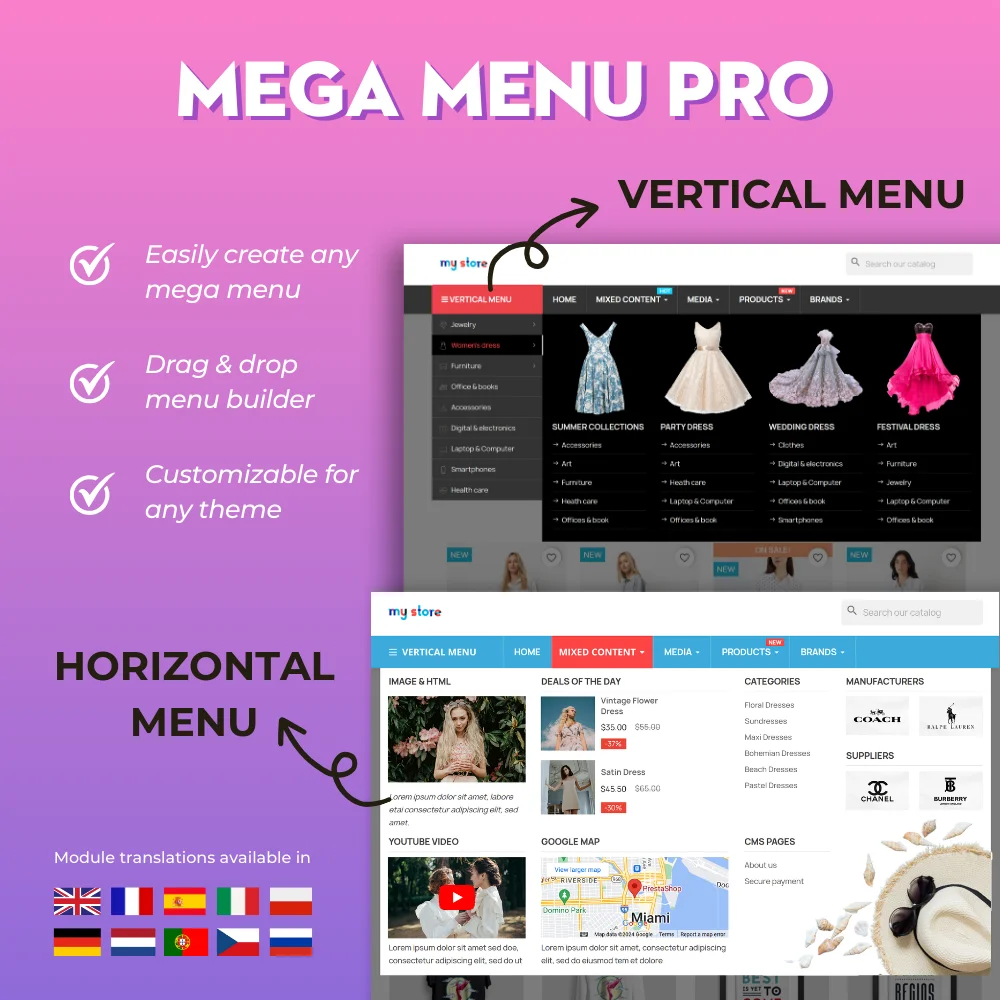
The most powerful Advanced top PrestaShop mega menu module 2026, awesome design, super easy-to-use, display perfectly on mobile devices, visual drag/drop backend, support both vertical & horizontal responsive menu. The best navigation module ever!
Get rid of spam emails and fake customer accounts with Google CAPTCHA - reCAPTCHA, Cloudflare Turnstile, IP blacklist, and email blacklist. The best PrestaShop captcha module for contact form, login and registration form, newsletter subscription, and all other forms.
Easily migrate your data (data transfer) from PrestaShop 8, 1.7, 1.6, 1.5 to PrestaShop 9 with our ultimate PrestaShop migration module - the smart way to upgrade your store. Seamlessly migrate your data, enhance features & stay updated.
Hit Google top result with best SEO practices in 2026! SEO Analytics, Pretty URL, Sitemap, Auto Image ALT, meta title, meta description, Google Snippet, RSS & social network optimization. Also integrated with ChatGPT for generating SEO content.
Transform PrestaShop into a multi vendor marketplace with easy setup steps. This module enables sellers to list their products on your site and pay you a percentage fee per sale or a monthly membership fee
Effortlessly upgrade from any PrestaShop version (9.x, 8.x, 1.7.x, or earlier) to the latest PrestaShop 9 with just one click. Dedicated Upgrade Service is also included; we help you upgrade your store!