Phần mềm di chuyển dữ liệu giữa 2 websites cho PrestaShop - MigrationPro Flow
★★★★★★★★★★5.0(178)
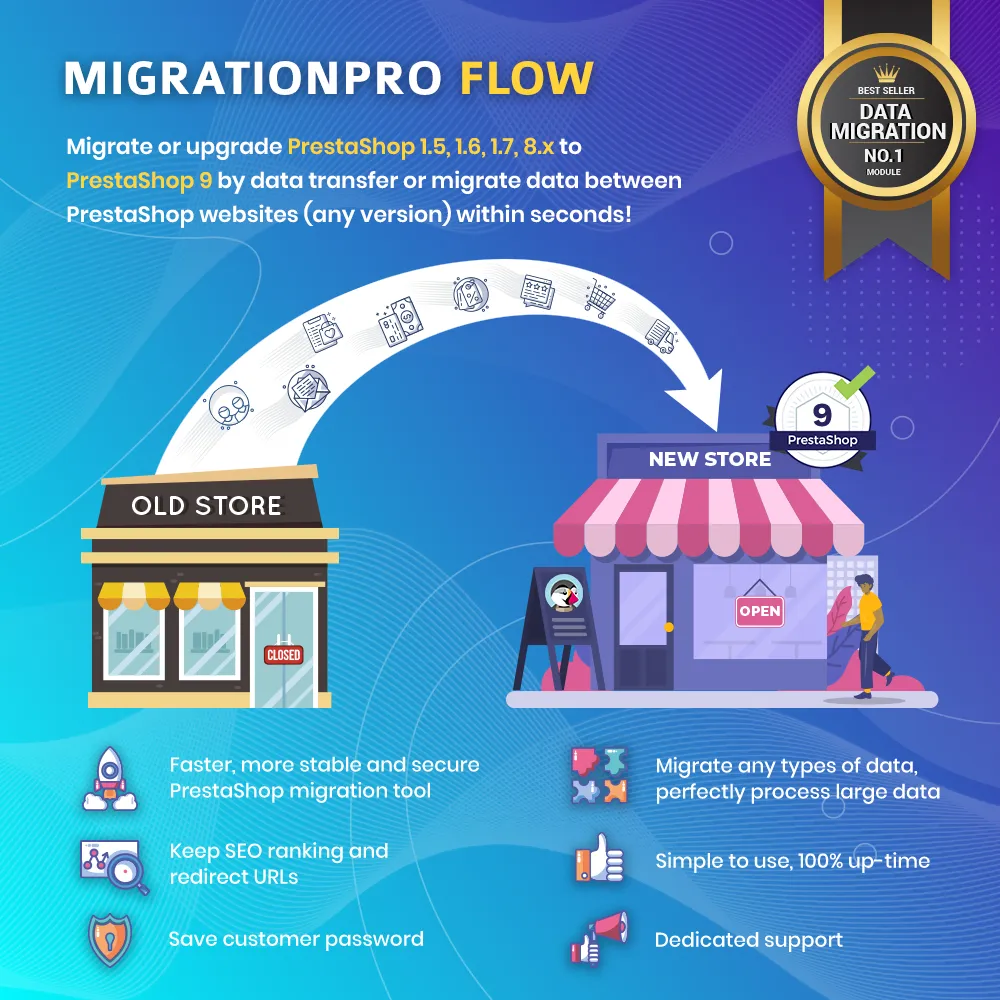
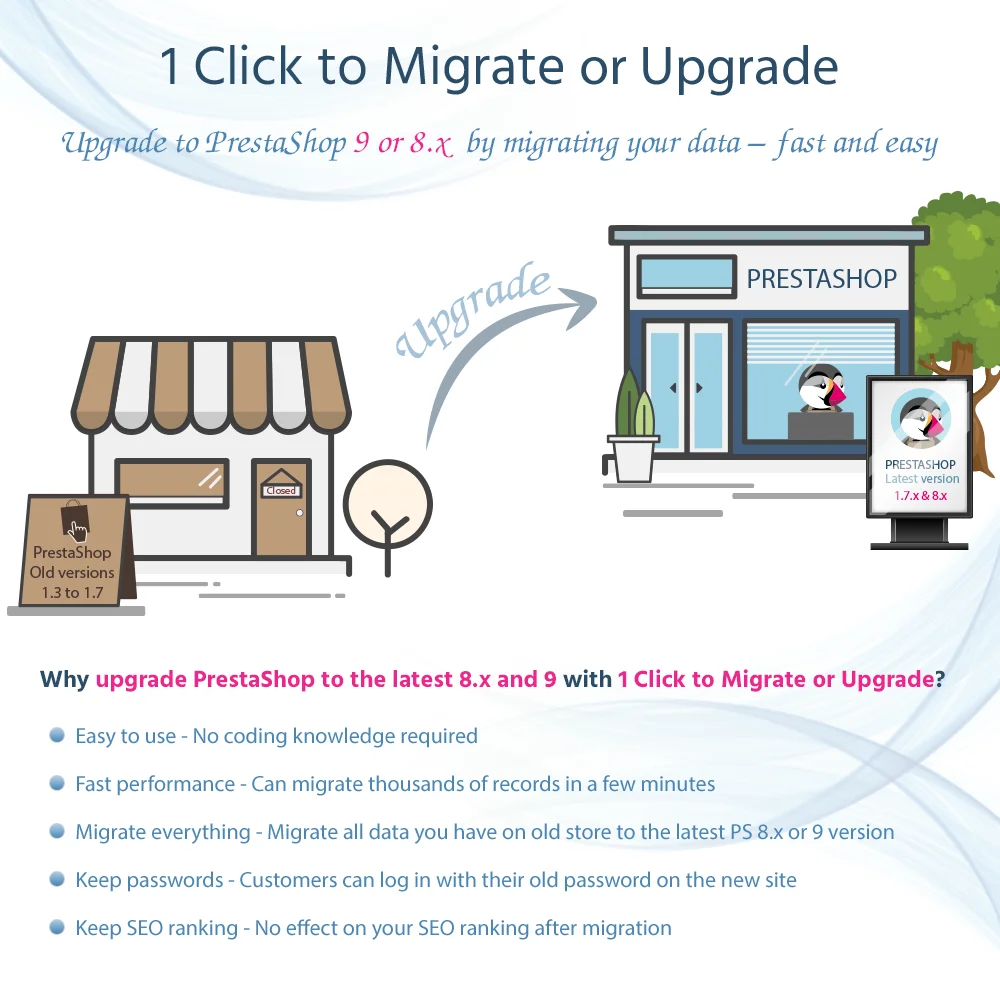
MigrationPro Flow helps you migrate PrestaShop 1.6, 1.7, PrestaShop 8 to PrestaShop 9. By data transfer from an old site to a new one, it serves as a safe way to upgrade your PrestaShop store. The fastest and most secure data migration tool!
MigrationPro Flow helps you migrate PrestaShop 1.6, 1.7, PrestaShop 8 to PrestaShop 9. By data transfer from an old site to a new one, it serves as a safe way to upgrade your PrestaShop store. The fastest and most secure data migration tool!
MigrationPro Flow is the perfect PrestaShop migration tool for data transfer to migrate your website from old PrestaShop versions to PrestaShop 9 or migrate data between any PrestaShop website (any version).
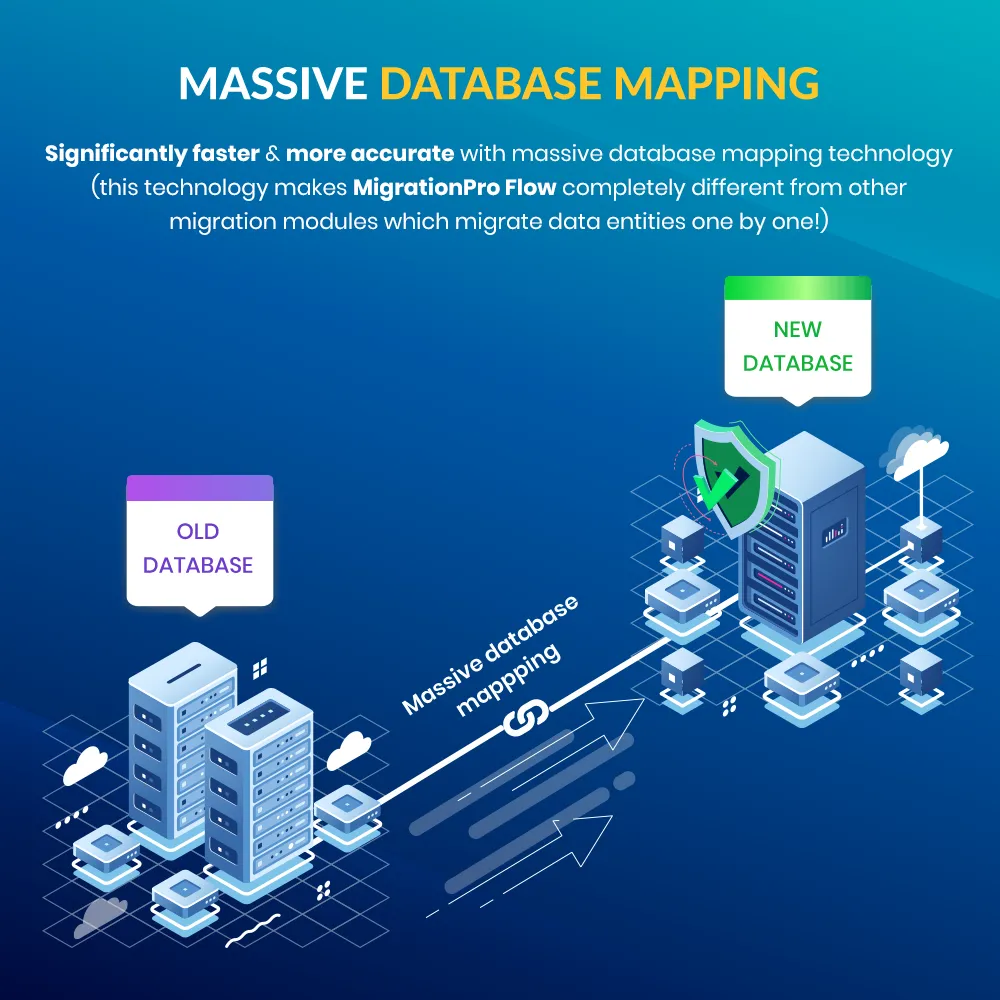
By using massive database mapping technology, our module guarantees that all of your data from the old site will be migrated to the new one significantly faster and more accurately compared to other migration modules on Add-ons Marketplace.
What are our advantages compared to other PrestaShop migration modules?
Faster and more accurate with massive database mapping technology (this technology makes MigrationPro Flow completely different from other migration modules which migrate data entities one by one!)
Over 6000 websites have been successfully migrated from PrestaShop 1.6 to 1.7, or to the PrestaShop 8 and the new PrestaShop 9 website. This includes secure and reliable data transfer during the whole process.
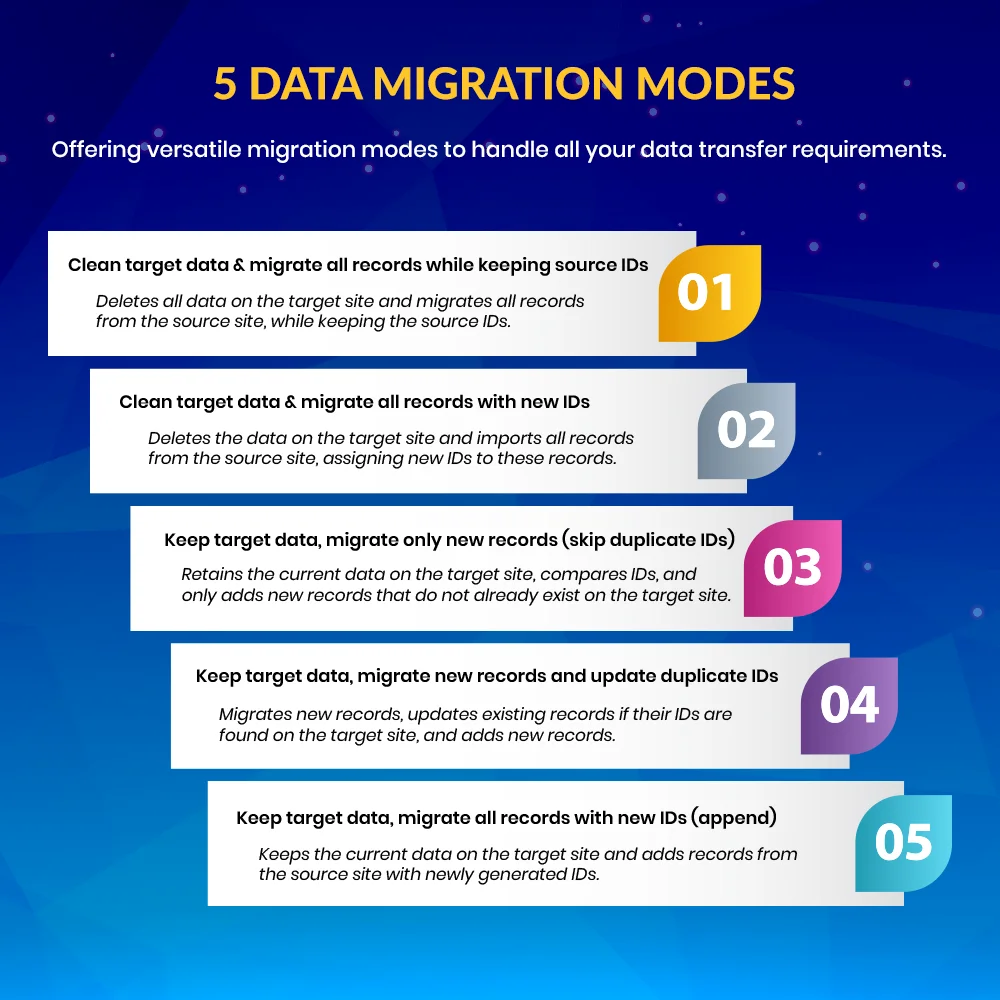
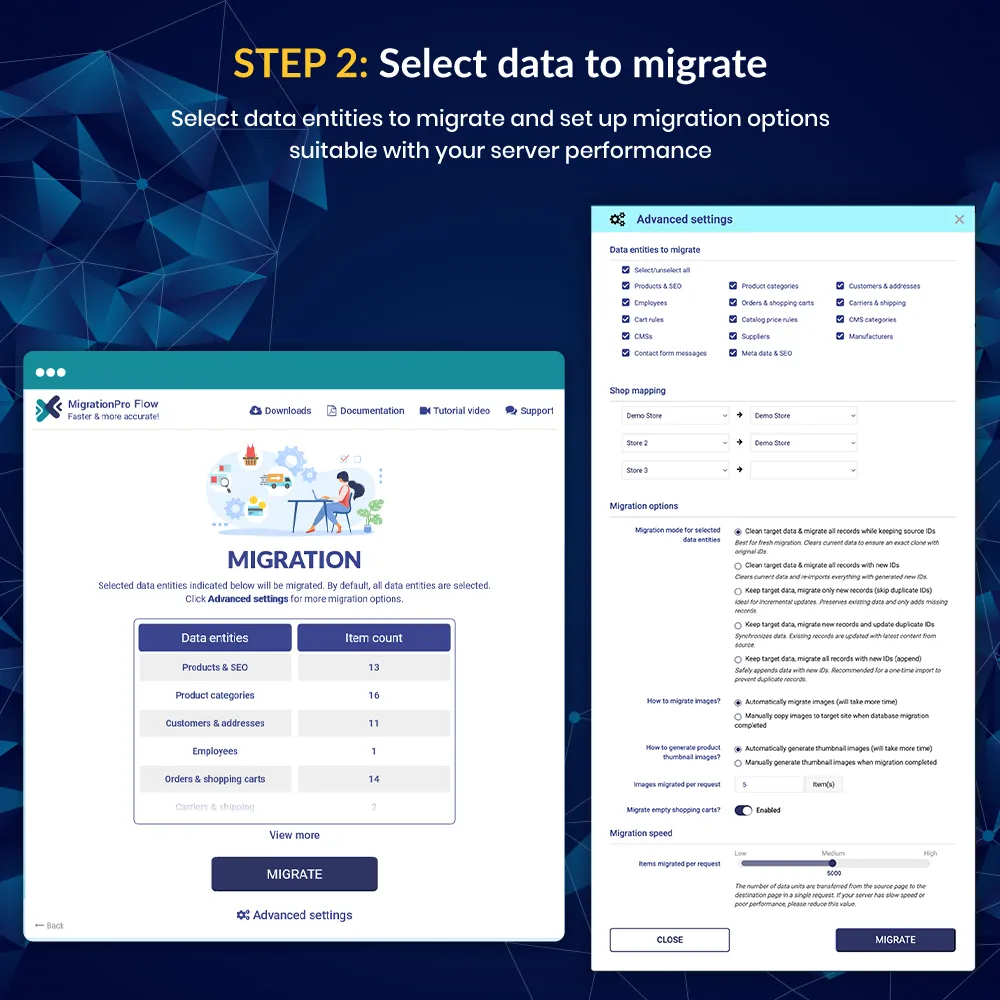
5 data migration modes to accommodate all your data transfer needs.
Professional customer support, your satisfaction is always our first priority!
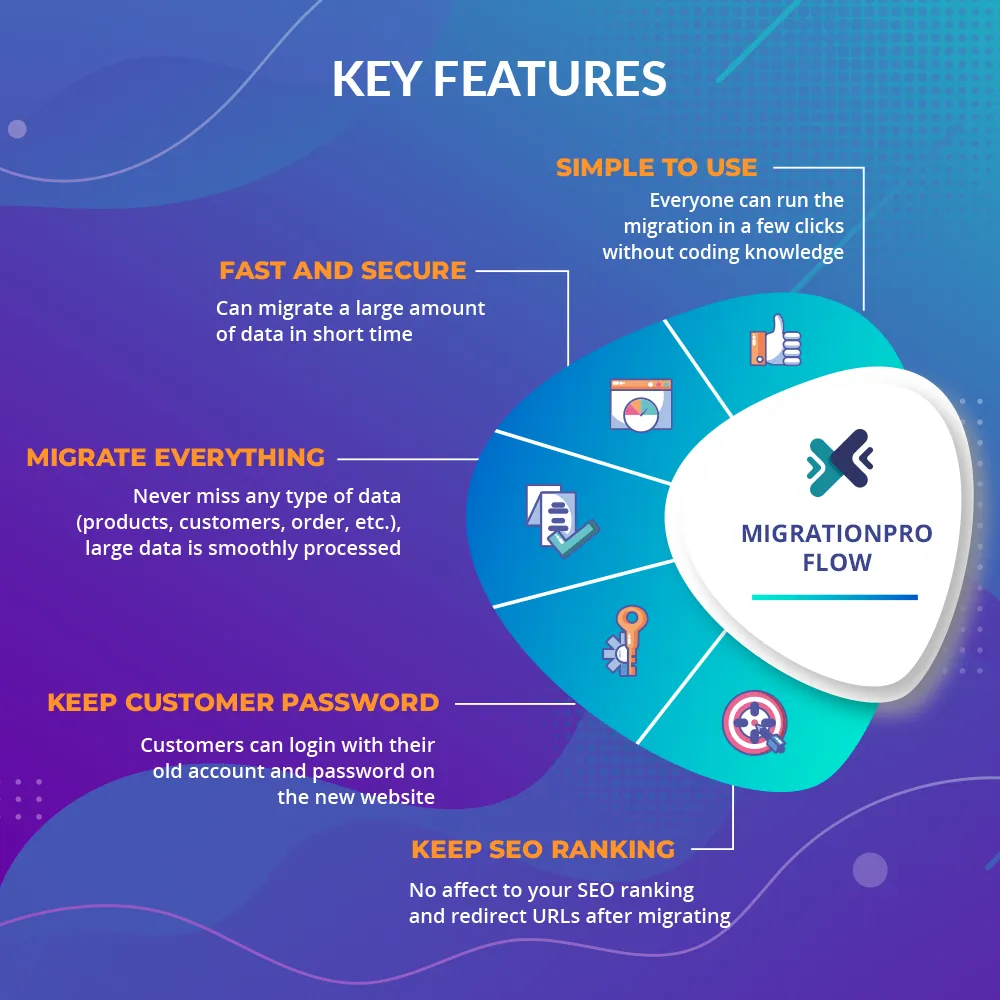
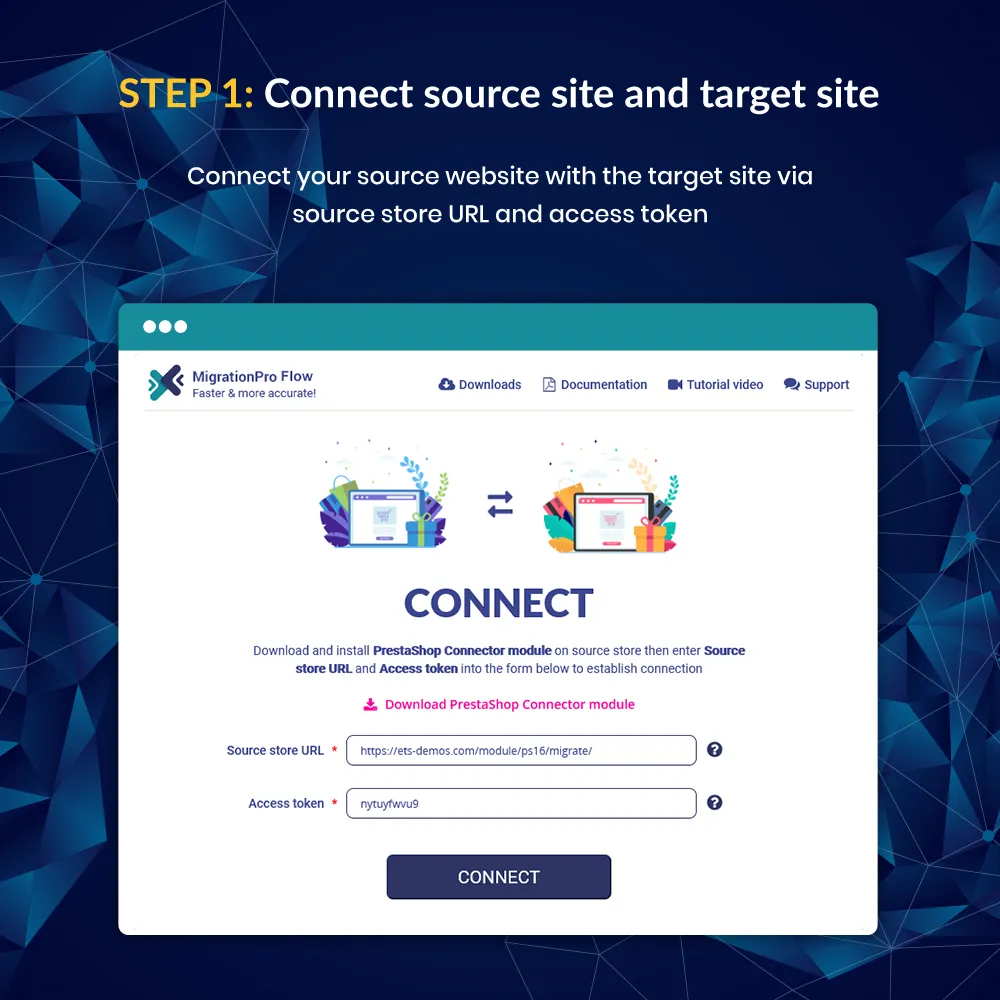
Friendly and easy-to-use user interface, everything is automated, and anyone can perform PrestaShop to PrestaShop migration and data transfer without any knowledge of programming.
100% up-time for the source site and the target site, your business is never corrupted!
And many other capacities such as keeping customer passwords, keeping SEO ranking (preserving your backlinks), migrating multi-shop, etc.
MigrationPro Flow allows you to migrate the following types of data:
1. Products & Categories
General information: name, status, description, product ID, reference, ISBN, EAN-13 or JAN barcode, etc.
Product combinations and features;
Shipping settings: width, height, depth, weight, additional shipping fees, and available carriers;
Prices: Price (tax excl.), price (tax incl.), price per unit (tax excl.), specific prices, taxes settings, etc.
SEO settings: Meta title, meta description, keywords, friendly URL;
Product customization;
Product images and category images: main image and thumbnail images;
Product comments, reviews, and ratings (if your source site has a “Product Comments” module installed);
2. Orders & Shopping carts
General information: order reference, order ID, order status, prices, etc.
Export orders by time range before migrating;
Shipping information;
Payment information;
Product list;
Invoices, delivery slip;
Customer notes, customer messages;
Shopping carts;
Invoices;
Credit slips;
Delivery slips;
3. Customers & employees
General information: first name, last name, email, status, profile, language, default page, etc.
Passwords can be saved or regenerated into new passwords for customers and employees;
4. Vouchers / Discounts
Cart rules (discount codes are also saved);
Catalog price rules;
5. Taxes
Taxes;
Tax rules to apply taxes for products;
6. Carriers & shipping prices
General settings: Carrier name, logo, transit time, speed grade, tracking URL;
Size, weight, and group access: Maximum package width (cm), maximum package height (cm), maximum package depth (cm), maximum package weight (kg), group access;
7. CMS pages
General information: Name, status, content, indexation by search engine status, etc.
SEO settings: Meta title, meta description, keywords, friendly URL, redirect URLs;
CMS categories;
8. Customer messages & services
Customer messages via the contact form;
Customer services (departments);
Merchandise returns;
9. Multi-shop data
Shop groups;
Shops;
All data of each shop (products, categories, customers, orders, etc.);
10. Localization data
Languages;
Currencies;
Countries;
Zones;
11. SEO settings
All SEO settings such as meta titles, meta descriptions, meta keywords, friendly URLs, redirect URLs, etc. are also migrated from your old website to the new site. You can keep your SEO ranking on Google and all other search engines.
12. Other data
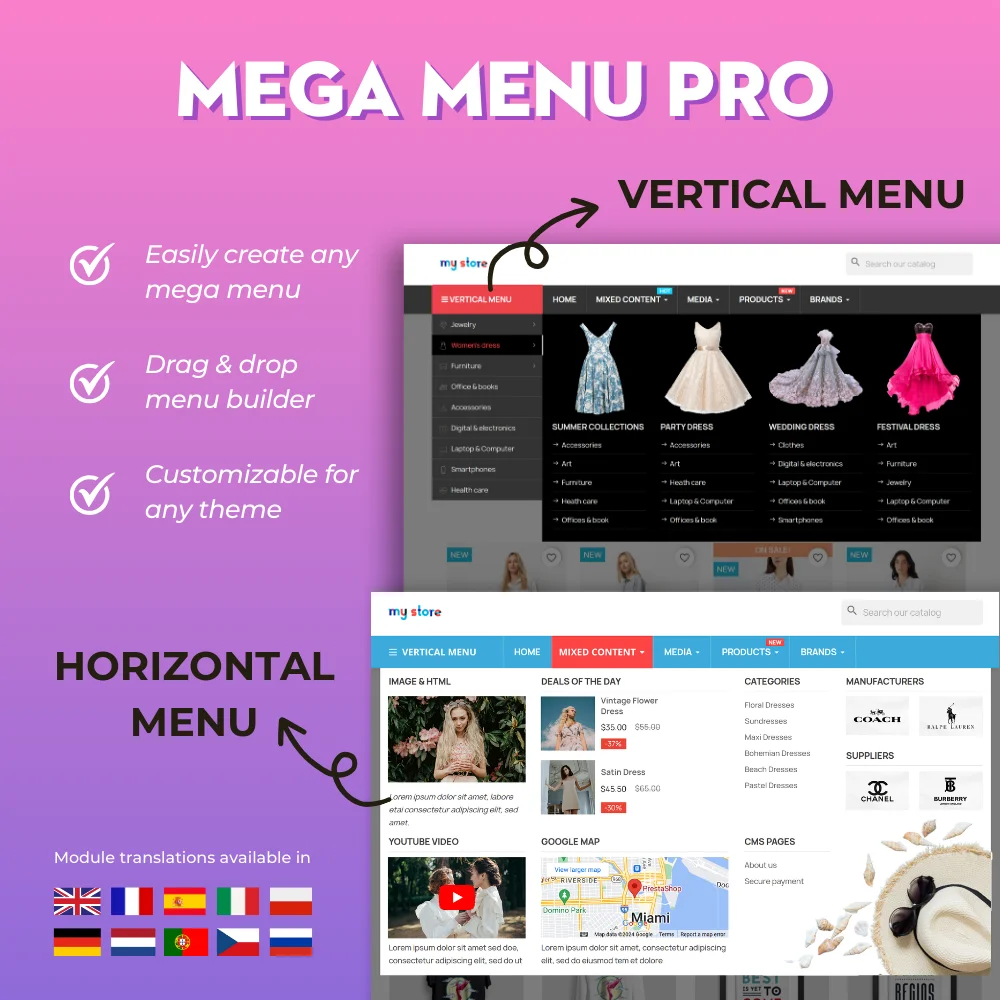
MigrationPro Flow allows you to migrate all blog data (blog posts, post categories, blog comments, photo gallery, slider images, etc.) from our PrestaShop blog module – BLOG and all mega menu data from our PrestaShop mega menu module – Mega Menu PRO.
Xem thêm
Tính năng
Migration and upgrade features:
1. Migrate/transfer data between PrestaShop websites (any versions)
Migrate/upgrade PrestaShop 8 to PrestaShop 9
Migrate/upgrade PrestaShop 8 to the latest version of PrestaShop 8
Migrate/upgrade PrestaShop 1.7.x to PrestaShop 9 or PrestaShop 8
Migrate/upgrade PrestaShop 1.6.x to PrestaShop 9 or PrestaShop 8
Migrate/upgrade PrestaShop 1.5.x to PrestaShop 9 or PrestaShop 8
Migrate/upgrade PrestaShop 1.5.x, 1.6.x to PrestaShop 1.7.x
2. Five Data Migration Modes
Mode 1: Clean target data & migrate all records while keeping source IDs: Deletes all data on the target site and migrates all records from the source site, while keeping the source IDs.
Mode 2: Clean target data & migrate all records with new IDs: Deletes the data on the target site and imports all records from the source site, assigning new IDs to these records.
Mode 3: Keep target data, migrate only new records (skip duplicate IDs): Retains the current data on the target site, compares IDs, and only adds new records that do not already exist on the target site.
Mode 4: Keep target data, migrate new records and update duplicate IDs: Migrates new records, updates existing records if their IDs are found on the target site, and adds new records.
Mode 5: Keep target data, migrate all records with new IDs (append): Keeps the current data on the target site and adds records from the source site with newly generated IDs.
Note: Modes 1, 2, and 5 are recommended for first-time data migration to the target site. Modes 3 and 4 should be used for subsequent migrations.
3. Other Features:
Migrate/transfer data from many websites into 1 website (merge shops)
Resume/restart migration process anytime
Display the percentage of the migration completion
Support migrates multi-shops
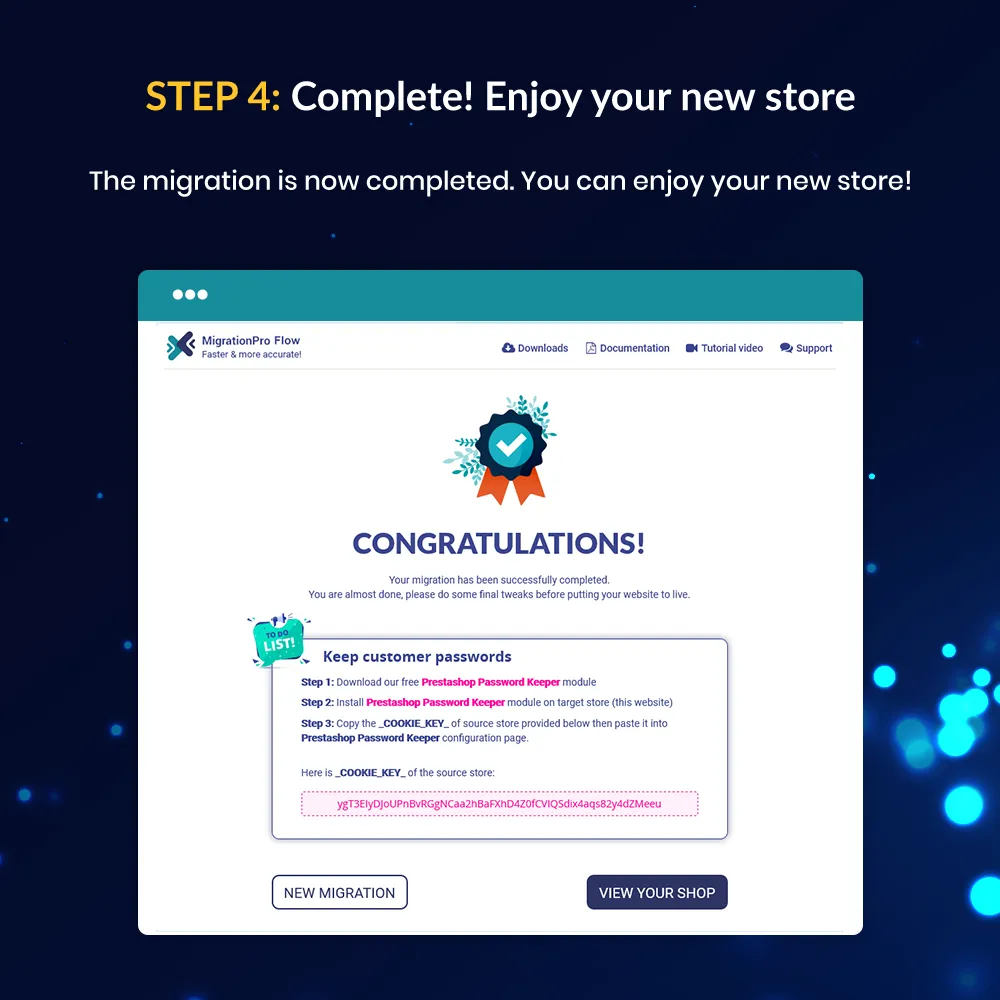
Keep customer passwords: allow customers to log into your new shop with their old account and password.
Keep SEO ranking and redirect URLs: your website SEO ranking and redirect URLs are also unaffected during the migration.
Bước 2: Tải lại back office, sau đó chuyển đến "PrestaHero > PrestaHero modules" và bấm vào "Connect to PrestaHero" để kết nối trang web của bạn với PrestaHero một cách an toàn với tài khoản PrestaHero của bạn.
Bước 3: Tìm đến mô-đun bạn đã mua (hoặc mô-đun miễn phí) và bấm "Install" hoặc "Upgrade" để cài đặt mô-đun hoặc nâng cấp mô-đun bất kì lúc nào một phiên bản mới được ra mắt.
*Ghi chú:
Tải xuống trả phí: ngoài việc cài đặt mô-đun qua PrestaHero Connect, bạn có thể mở trang "Tài khoản của tôi > Tải xuống của tôi" trên PrestaHero và tải xuống các mô-đun bạn đã mua.
Tải xuống miễn phí: bạn có thể tải xuống gói tệp cài đặt trực tiếp từ trang chi tiết mô-đun trên PrestaHero.
Lịch sử phiên bản
Version 5.0.3
Migrated customers and staff can keep signing in with their old passwords after the move
Smoother resume if a migration is interrupted — pick up where you left off with less risk of missing images or mapping data
Clearer handling when some data can’t be imported: the process continues, with cleaner reports instead of noisy logs
Tables that don’t exist on the destination shop are skipped automatically so one missing table doesn’t stop the whole migration
Free companion plugins (update on both shops when prompted)
Migrate Connector 1.2.2 — safer connection between your source and destination shops
Password Keeper 1.1.0 — better support for old passwords after migration, working hand-in-hand with MigrationPro Flow
Version 5.0.2
Clearer MySQL import logs — Warnings are classified properly: value adjustments (null/truncated/out-of-range, etc.) as WARNING with row keys; rows skipped by INSERT IGNORE (duplicate key, foreign key, CHECK) as INFO — without the misleading “target keeps its own row” message.
Less log noise on MySQL 8 — Deprecated VALUES() warnings (error 1287) are ignored; SHOW COUNT(*) WARNINGS runs only when there is something useful to report.
Safer language handling during import — Language IDs are sanitized to positive integers only, avoiding invalid/empty language rows when expanding multilingual data.
More reliable shop & runtime checks — Default shop fallback uses the module context; multi-statement query permission follows the dedicated runtime config helper.
When you resume an interrupted image or file migration, the module can restore the missing media tracking flags instead of treating already migrated media as new.
Version 5.0.1
Smarter, more resilient imports: row-level batching, safer retries and resume-after-failure so a single bad record no longer derails the whole migration.
Stronger ID & foreign-key mapping for cleaner data relationships across shops, languages, customers and catalog entities.
Smarter customer handling: detects existing registered customers by email (including non-shared shops) to avoid unwanted duplicates.
Accurate default customer group sync after migration (Visitor, Guest, Customer) when using new IDs.
Clearer employee migration: keeps existing back-office accounts on email match, and lists employees who must reset passwords after migrating from PrestaShop 1.6 to PrestaShop 9.
Automatic product search reindex after Products & SEO migration, with a helpful warning if indexing needs to be finished manually.
More reliable source connection checks, including validation and storage of the source PrestaShop version.
Version 5.0.0
A major upgrade of MigrationPro Ultimate — faster, safer, and ready for PrestaShop 9
Full compatibility with PrestaShop 1.7, 8, and 9 (PHP 7.1+)
Still supports source shops running PrestaShop 1.5 and 1.6 via the connector
Stronger security for data transfer and remote connections
Improved migration performance for smoother and more reliable transfers
Better multistore support with clearer shop mapping
Version 4.6.7
Adaptive speed: The module now automatically adjusts migration speed based on server performance or MySQL load.
Module improvements
Version 4.6.6
Improved compatibility with PrestaShop 9.x image thumbnail generation.
Updated image import handling to support newer thumbnail naming formats based on configured image types.
Enhanced migration accuracy for category and thumbnail images on newer PrestaShop versions.
Version 4.6.5
Update compatibility with PrestaShop 9.1
Version 4.6.4
Module improvement
Version 4.6.1
This update introduces 5 new data migration modes to enhance flexibility and efficiency in the migration process:
Clean target data & migrate all records while keeping source IDs
Clean target data & migrate all records with new IDs
Keep target data, migrate only new records (skip duplicate IDs)
Keep target data, migrate new records and update duplicate IDs
Keep target data, migrate all records with new IDs (append)
Version 4.6.0
Module improvements:
Update migration process from PS 1.6.1.x to PS 8.2.x
Update migration process from PS 1.7.x to PS 8.2.x
Version 4.5.9
Update compatibility with PrestaShop 9.0 for "Password Keeper" plugin
Version 4.5.8
Update compatibility with PrestaShop 9.0
Version 4.5.7
Update "PrestaShop Connector" module
Version 4.5.5
Minor changes
Version 4.5.4
Module improvement
Version 4.5.1
Update compatibility with PrestaShop Enterprise
Version 4.5.0
Update compatibility with PrestaShop 8.1.6
Version 4.4.9
Module improvements
Version 4.4.8
Improvement when migrating data from PrestaShop 1.7 to PrestaShop 8.1.4
Version 4.4.7
Module improvements
Version 4.4.6
Update "PrestaShop Password Keeper" plugin
Version 4.4.5
Update module name to "MigrationPro Ultimate"
Version 4.4.4
Module improvements
Version 4.4.2
Improved image migration from PrestaShop 1.4 to PrestaShop 8.x
Improved image handling when transferring images that are too large from the source site to the destination site
Version 4.4.1
Update "PrestaShop Connector" module
Version 4.4.0
Automatically install "PrestaShop Password Keeper" when migrating data
Version 4.3.9
Module improvements
Version 4.3.8
Update plugin ets_migrate_connector
Update compatibility with ets_megamenu module
Version 4.3.6
Update "PrestaShop Connector" module
Version 4.3.5
Module improvements
Version 4.3.4
Update compatibility with PrestaShop 8.1.1
Version 4.3.3
Update compatibility with PrestaShop 8.1.0
Version 4.3.2
Update compatibility with PrestaShop 8.0.4
Version 4.3.1
Update plugin "PrestaShop Connector"
Version 4.3.0
Module improvements
Version 4.2.5
Update translation: German, Dutch, Polish, Portuguese, Czech, and Russian
Dễ dàng di chuyển dữ liệu của bạn (data transfer) từ PrestaShop 8, 1.7, 1.6, 1.5 sang PrestaShop 9 với mô-đun di chuyển PrestaShop tối ưu của chúng tôi - cách thông minh để nâng cấp cửa hàng của bạn mà không gặp rắc rối.Di chuyển dữ liệu của bạn một cách liền mạch, nâng cao tính năng và luôn được cập nhật.
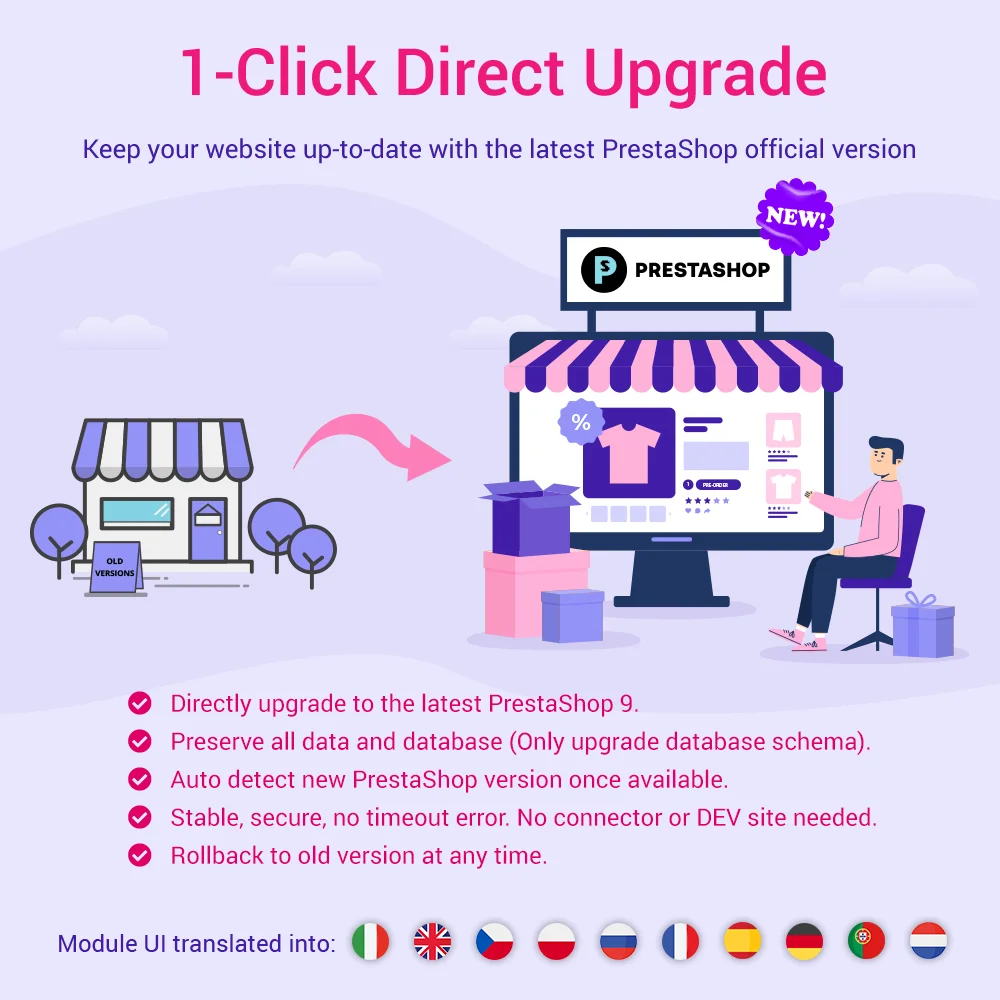
Dễ dàng nâng cấp từ bất kỳ phiên bản PrestaShop nào (9.x, 8.x, 1.7.x hoặc cũ hơn) lên PrestaShop 9 mới nhất chỉ bằng một cú nhấp chuột. Dịch vụ nâng cấp chuyên dụng cũng được bao gồm; chúng tôi sẽ giúp bạn nâng cấp cửa hàng của mình!
Top #1 PrestaShop migration module! Migrate data from PrestaShop 8, 1.7, 1.6, 1.5, to PrestaShop 9 and upgrade your store via safe, fast data transfer. A perfect migration tool to upgrade your version or transfer data between PrestaShop sites.
Mô-đun mega menu tiên tiến nhất cho PrestaShop năm 2026, với thiết kế tuyệt vời, dễ sử dụng, hiển thị hoàn hảo trên thiết bị di động, trang backend kéo/thả trực quan, hỗ trợ cả menu dọc và ngang. Đây là module điều hướng tốt nhất từ trước đến nay!
Đạt kết quả hàng đầu trên Google bằng các phương pháp SEO tốt nhất vào năm 2026! SEO Analytic (Phân tích SEO), URL đẹp, sitemap (Sơ đồ trang web), ALT hình ảnh tự động, tiêu đề meta, mô tả meta, Google Snippet, RSS & tối ưu hóa mạng xã hội. Cũng được tích hợp với ChatGPT để tạo nội dung SEO.
Biến PrestaShop thành một sàn thương mại điện tử thực sự (nhiều người bán) với các bước thiết lập đơn giản. Module sàn thương mại điện tử PrestaShop tốt nhất cho phép người bán liệt kê sản phẩm của họ để bán và thanh toán một khoản phí cố định cho mỗi đơn đặt hàng hoặc một khoản phí thành viên.
Module blog chuyên nghiệp được tin dùng nhất cho PrestaShop. Có thể tích hợp với ChatGPT để tạo nội dung! Cập nhật với các thực hành SEO, thay thế cho WordPress, module blog toàn diện cho cửa hàng của bạn!
Xây dựng tệp khách hàng thân thiết, thu hút khách hàng mới và tăng doanh số với 3 chương trình marketing trong 1 module—khách hàng thân thiết (loyalty), giới thiệu khách hàng (referral), và tiếp thị liên kết (affiliate). Thưởng cho khách hàng bằng điểm thưởng hoặc tiền mặt khi họ mua sản phẩm, giới thiệu bạn bè hoặc quảng bá sản phẩm và tạo ra doanh số.