Create FAQ page and FAQ (Q&A) tab on product page – 2 IN 1 Prestashop FAQ module! Receive and answer questions from your customers with “Ask a question” form. FAQ module - professional, easy to install, and simple to use!
Create FAQ page and FAQ (Q&A) tab on product page – 2 IN 1 Prestashop FAQ module! Receive and answer questions from your customers with “Ask a question” form. FAQ module - professional, easy to install, and simple to use!
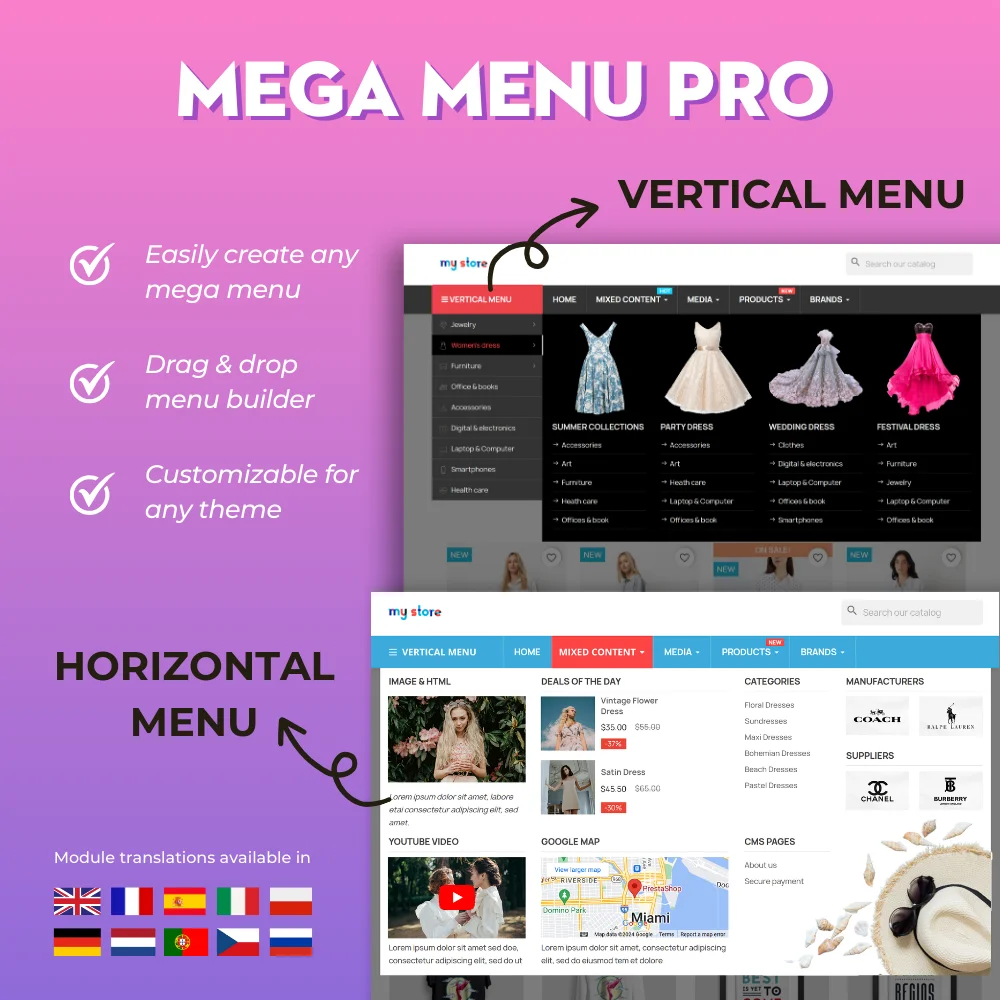
The most powerful Advanced top PrestaShop mega menu module 2026, awesome design, super easy-to-use, display perfectly on mobile devices, visual drag/drop backend, support both vertical & horizontal responsive menu. The best navigation module ever!
Speed up your store for smoother shopping, more sales and better SEO. Our PrestaShop speed optimization module boosts page speed, Google PageSpeed & GTmetrix scores with full page cache, Redis, Cloudflare, WebP image and database optimization.
Hit Google top result with best SEO practices in 2026! SEO Analytics, Pretty URL, Sitemap, Auto Image ALT, meta title, meta description, Google Snippet, RSS & social network optimization. Also integrated with ChatGPT for generating SEO content.
The most trusted professional PrestaShop blog module. Can be integrated with ChatGPT for generating content! Up-to-date with SEO practices, a WordPress alternative, All-in-one blog module for your store!
Simplify checkout so customers order faster and you sell more. Our PrestaShop one page checkout module puts the whole checkout on one page, with social login (PayPal, Facebook, Google), guest checkout, reCAPTCHA and PayPal, Stripe, COD & more.
Boost sales and revenue by recovering abandoned carts with this PrestaShop abandoned cart reminder. Send reminders via email, popup, highlight bar and web push, with discounts to convert. Also send auto emails after subscribe, sign-up or purchase.
Build loyalty, attract new customers and grow sales with 3 marketing programs in 1 module—loyalty, referral and affiliate. Reward customers with points or cash when they purchase products, refer friends or promote products and generate sales.
Get rid of spam emails and fake customer accounts with Google CAPTCHA - reCAPTCHA, Cloudflare Turnstile, IP blacklist, and email blacklist. The best PrestaShop captcha module for contact form, login and registration form, newsletter subscription, and all other forms.
Receiving daily emails from your customers with the same questions about your products and services? Spending hours to answer the repeated questions?
That might be a general problem all online shops would meet, it wastes a lot of time to answer all the questions from customers. We understand all the problems so we made FAQ – an awesome Prestashop FAQ module that would help you save a lot of time by creating a professional FAQ page (and also FAQ tab on product page) where you can list all the repeated questions with respective answers.
Let’s discover how great FAQ is and why it helps you improve the quality of your customer service.
1. Professional FAQ page and FAQ tab for product page
As stated in the overview, FAQ is a 2 IN 1 Prestashop FAQ module, it allows you to create both FAQ page and FAQ tab for product page.
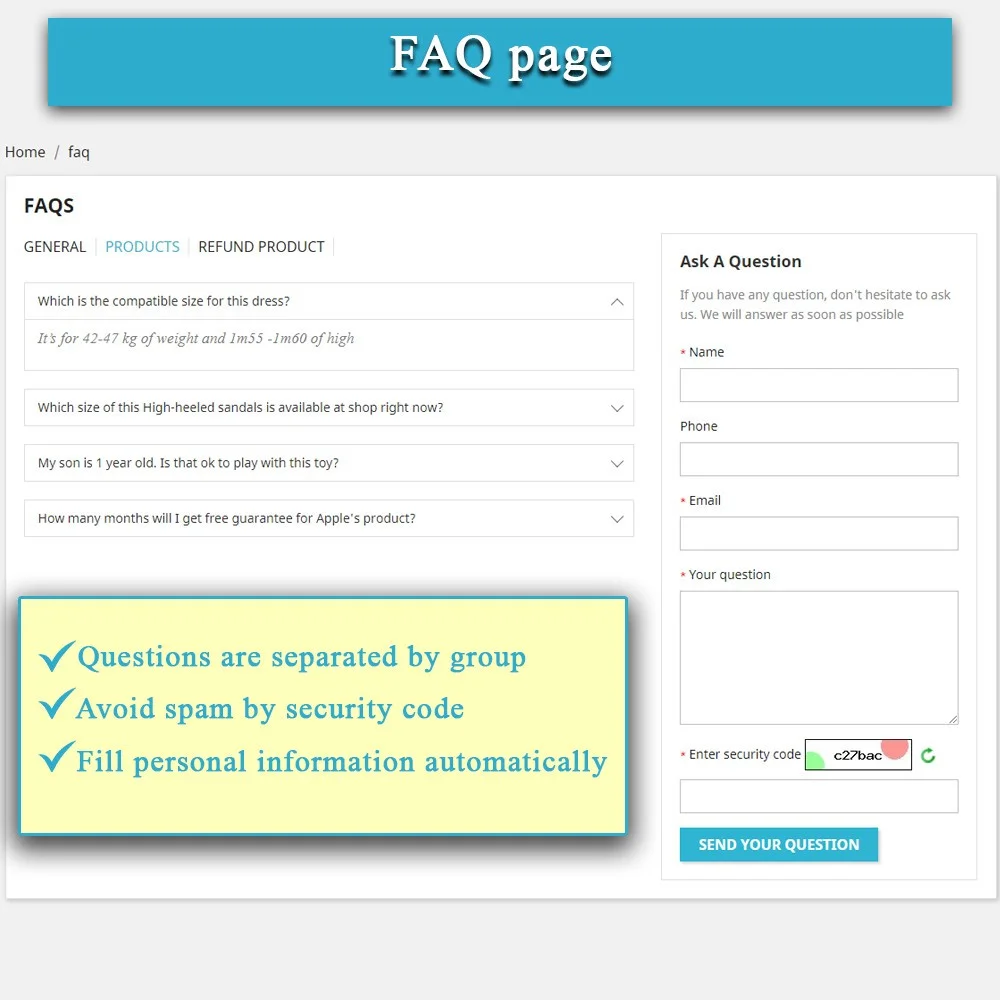
FAQ page: The module helps you quickly create a professional and attractive FAQ page with a list of pre-made questions & answers. The questions & answers are grouped into sections with open/close boxes will help customers browse the question & answer list easily to find out the information they’re looking for.
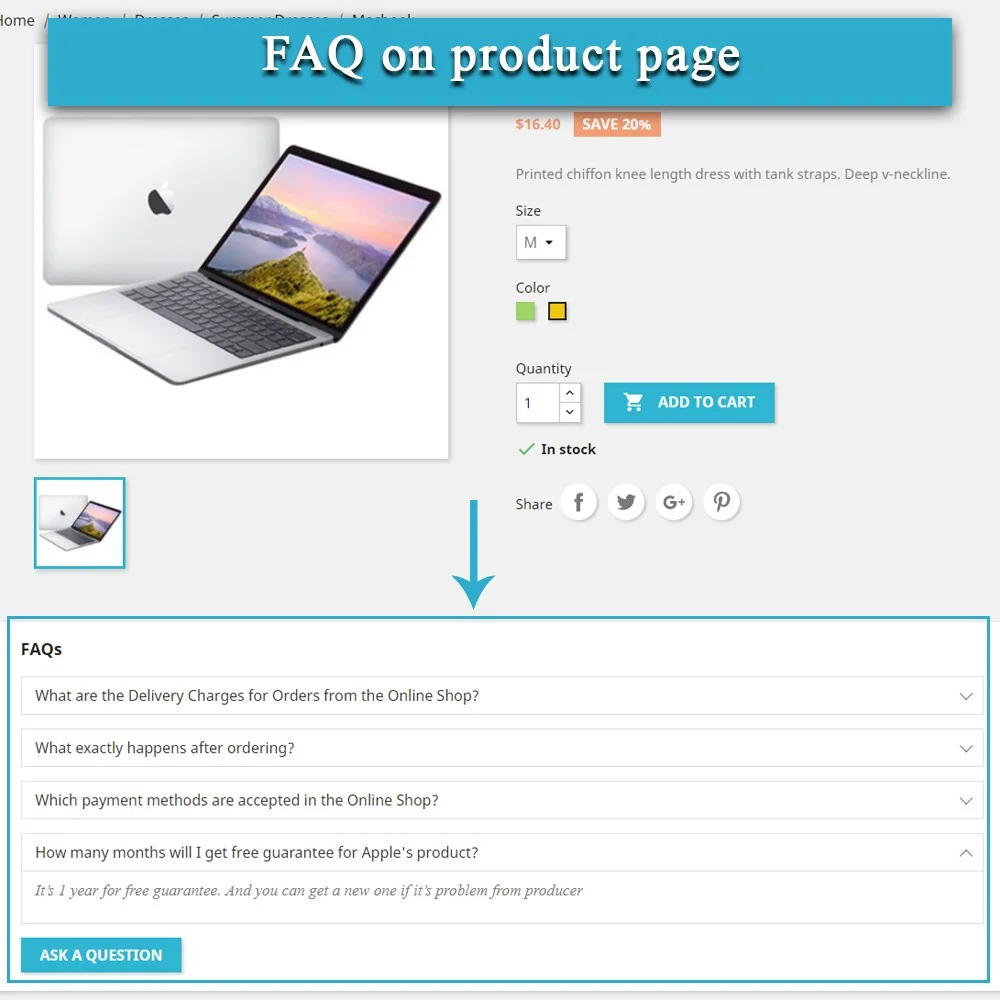
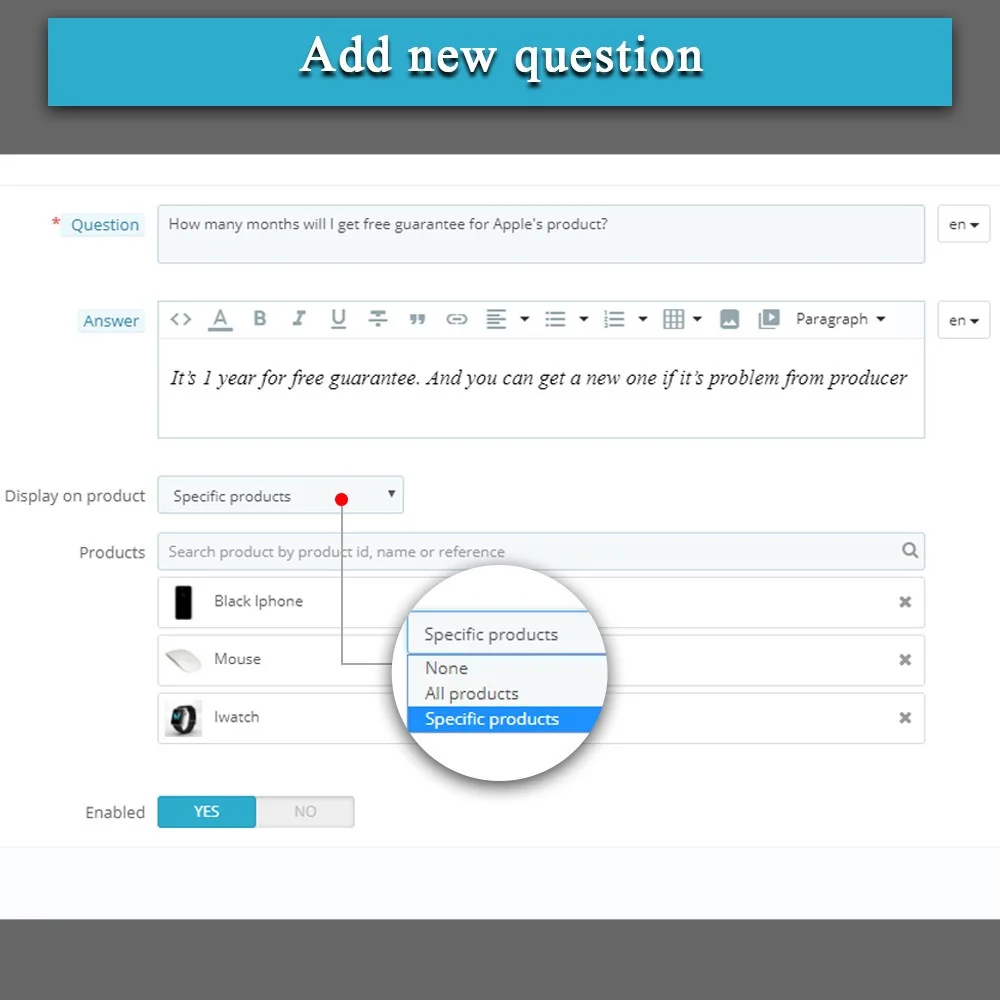
FAQ tab on product page: Along with FAQ page, FAQ also offers you a great feature that is FAQ tab for product page, you can add a FAQ section to your PrestaShop store by selecting all questions & answers related to a product and put them on the product details page. This will help your customer a lot to understand your products and encourage them to buy!
2. “Ask a question” form
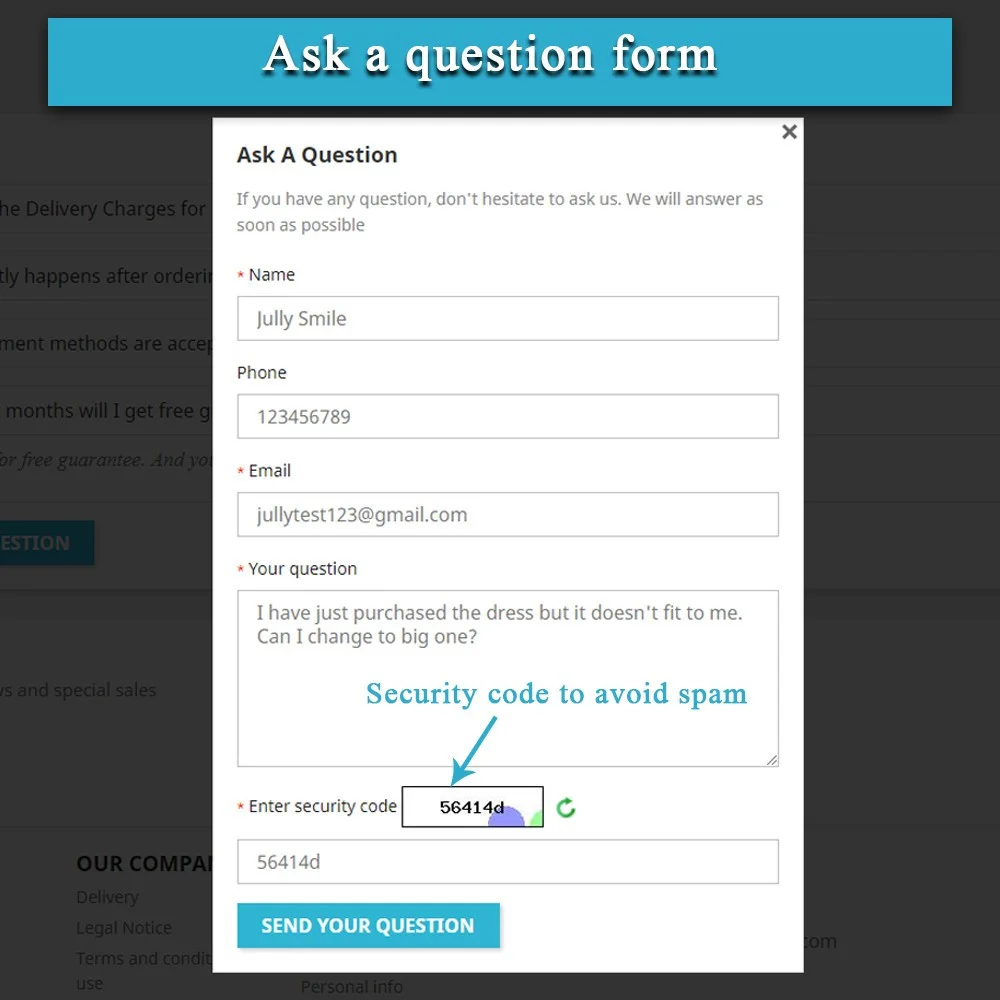
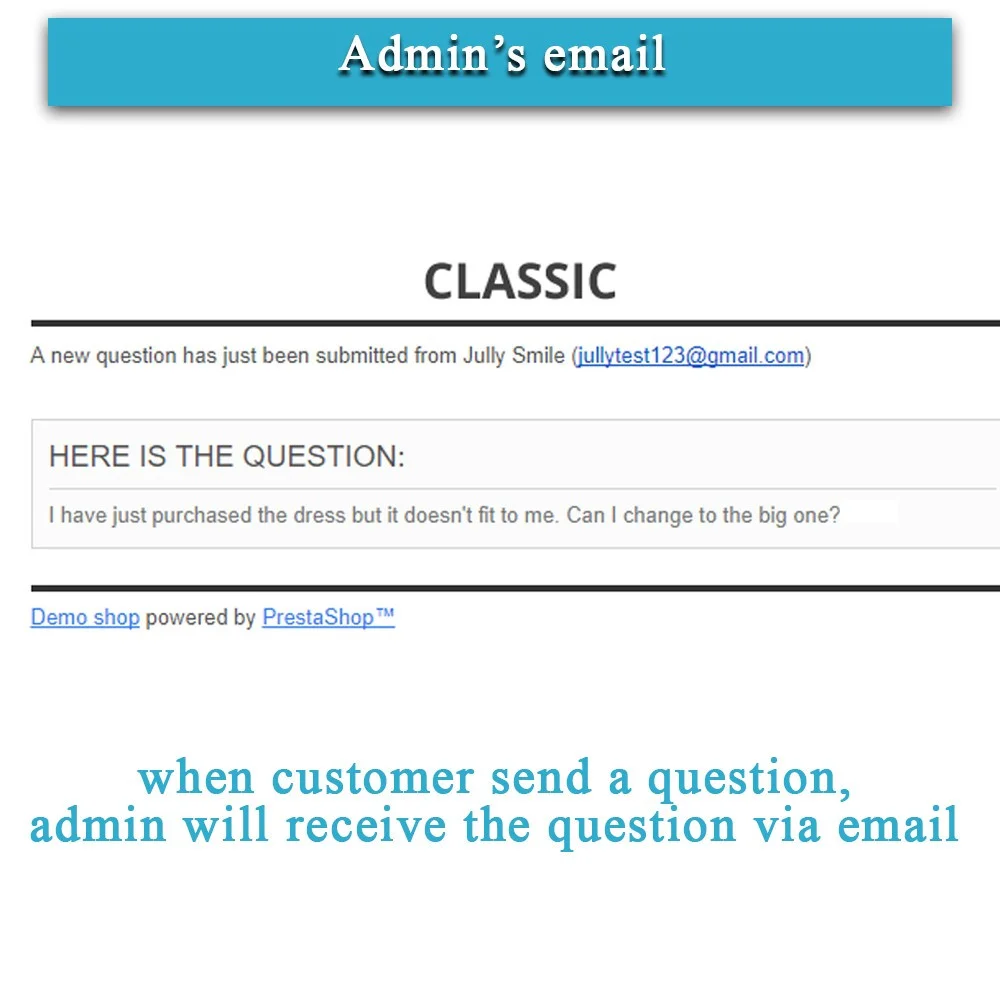
This FAQ module for Prestashop allows customer to send questions to your email via a question form on the FAQ page. This is useful for the customer if they can’t find the information they want from your FAQ page with pre-made questions & answers.
You can answer your customer questions via email when they’re sent to you or answers them directly via a reply form from your backend. You can also mark the questions as frequently asked questions to display them on your FAQ page.
FAQ provides CAPTCHA security feature which helps protect the “ask a question” form from spam questions created by auto-fill robots.
3. Easy management
Backend is implemented with jQuery Ajax: We pay a lot of care to the backend design of the module and take advantage of using jQuery Ajax to avoid page reloads when working with the backend. This helps you save time when adding, editing, deleting, or sorting questions & answers.
Visual editor:FAQ is the unique Prestashop FAQ module that provides a visual backend editor. Questions & answers are organized visually as how they’re displayed on frontend, this feature is very useful because it helps you quickly see the result of your backend work without having to go to frontend to check.
Question & answer groups: This feature helps you categorize your questions & answers. This will help you manage the questions & answers easier when they become huge! It also helps customers easier in browsing through the questions & answers on frontend.
4. SEO and optimization
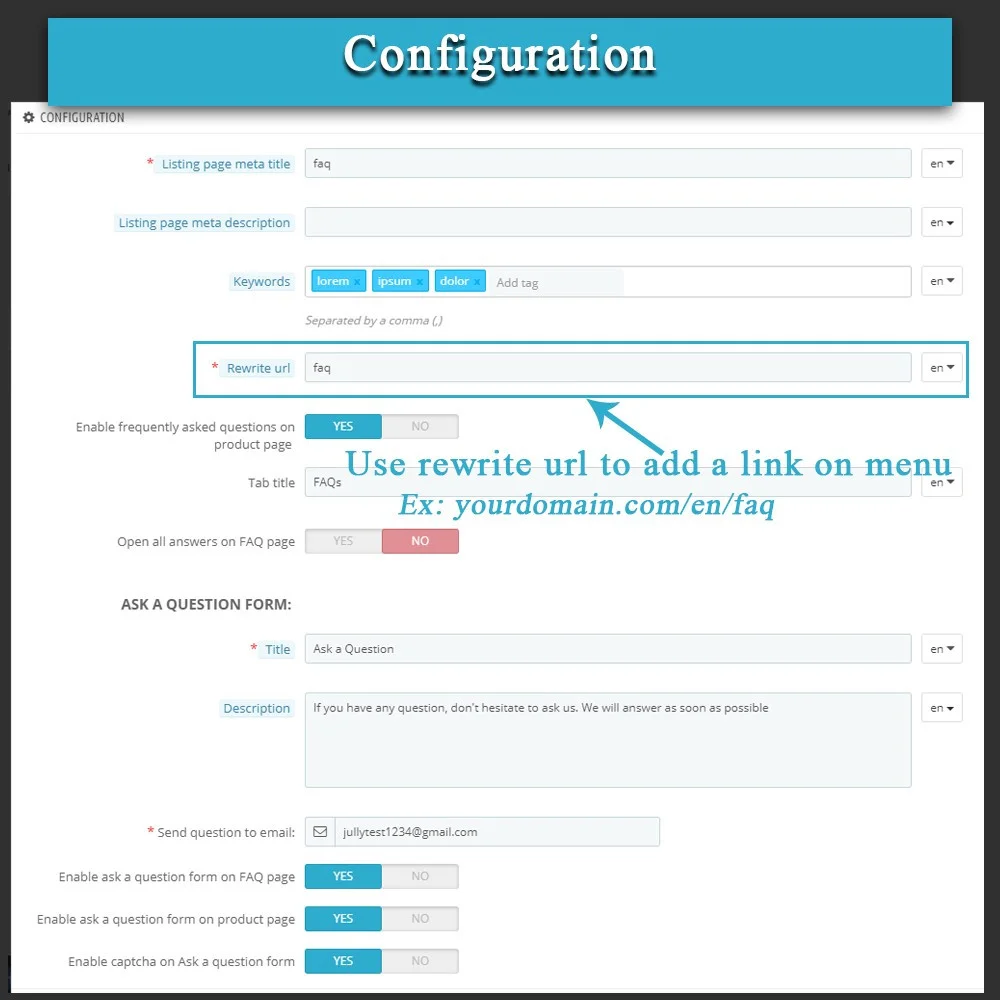
Friendly URL:FAQ offers you the capacity to make custom friendly URL for your FAQ page. This is the most important factor that will improve your SEO rank on Google or any other internet search engine.
Metadata supported: FAQ is the best FAQ module for Prestashop which provides meta-data for SEO purposes. It supports custom meta titles, meta descriptions, and meta keywords.
HTML optimized: the module is optimized with SEO on all HTML tags, it’s checked to make sure your FAQ page as well as the product FAQ tab is completely friendly with SEO.
View more
Features
FAQ is the most powerful Prestashop FAQ module that provides all the things you need to create professional FAQ features for your website:
1. General features
Create FAQ page and FAQ tab on the product page
Categorize frequently asked questions
Open/close content of answers on frontend
Option to open all answers by default on FAQ page
2. Question form
Provides “Ask a question form” allowing your customers to send any questions to you easily
Send questions via email
Save questions at backend
Reply to a question via backend
CAPTCHA security
Custom form title and description
Custom receiver email
“Ask a question” button on product page (product question)
Option to enable/disable the “ask a question” form on the FAQ page
Option to enable/disable the “ask a question” button on the product page
Option to enable/disable CAPTCHA security code
3. Management
Ajax backend
Option to add, edit delete questions using Ajax (no page reloads)
Option to add, edit delete question groups using Ajax
Step 2: Reload your back office, then navigate to "PrestaHero > PrestaHero modules" and click on "Connect to PrestaHero" to connect your website with PrestaHero securely with your PrestaHero credentials.
Step 3: Find the module you purchased (or free) modules and click "Install" or "Upgrade" to install the modules or upgrade your modules any time a new version is released.
*Note:
Premium download: besides installing the modules using PrestaHero Connect, you can open "My account > My downloads" page at PrestaHero and download your purchased modules.
Free download: you can download the installation package directly on the module details page at PrestaHero.
Change log
Version 1.1.6
New option: Open the first answer on product page — automatically expand the first FAQ question and answer when the FAQ block appears on the product page.
Improved image captcha handling for better compatibility with the latest PrestaShop validator requirements.
Version 1.1.5
Update compatibility with PrestaShop 9.1 and Hummingbird 2.0
Easily migrate your data (data transfer) from PrestaShop 8, 1.7, 1.6, 1.5 to PrestaShop 9 with our ultimate PrestaShop migration module - the smart way to upgrade your store. Seamlessly migrate your data, enhance features & stay updated.
Hit Google top result with best SEO practices in 2026! SEO Analytics, Pretty URL, Sitemap, Auto Image ALT, meta title, meta description, Google Snippet, RSS & social network optimization. Also integrated with ChatGPT for generating SEO content.
Turn your Instagram feed into a shoppable gallery! Integrate Instagram into PrestaShop in 1 CLICK using the new Instagram API. Showcase your Instagram photos/videos to attract visitors and turn them into customers.
The best visual drag & drop contact form with CAPTCHA. Create any kind of form: contact form, order form, etc. This is a feature-rich and secure PrestaShop contact form module.
The most powerful Advanced top PrestaShop mega menu module 2026, awesome design, super easy-to-use, display perfectly on mobile devices, visual drag/drop backend, support both vertical & horizontal responsive menu. The best navigation module ever!
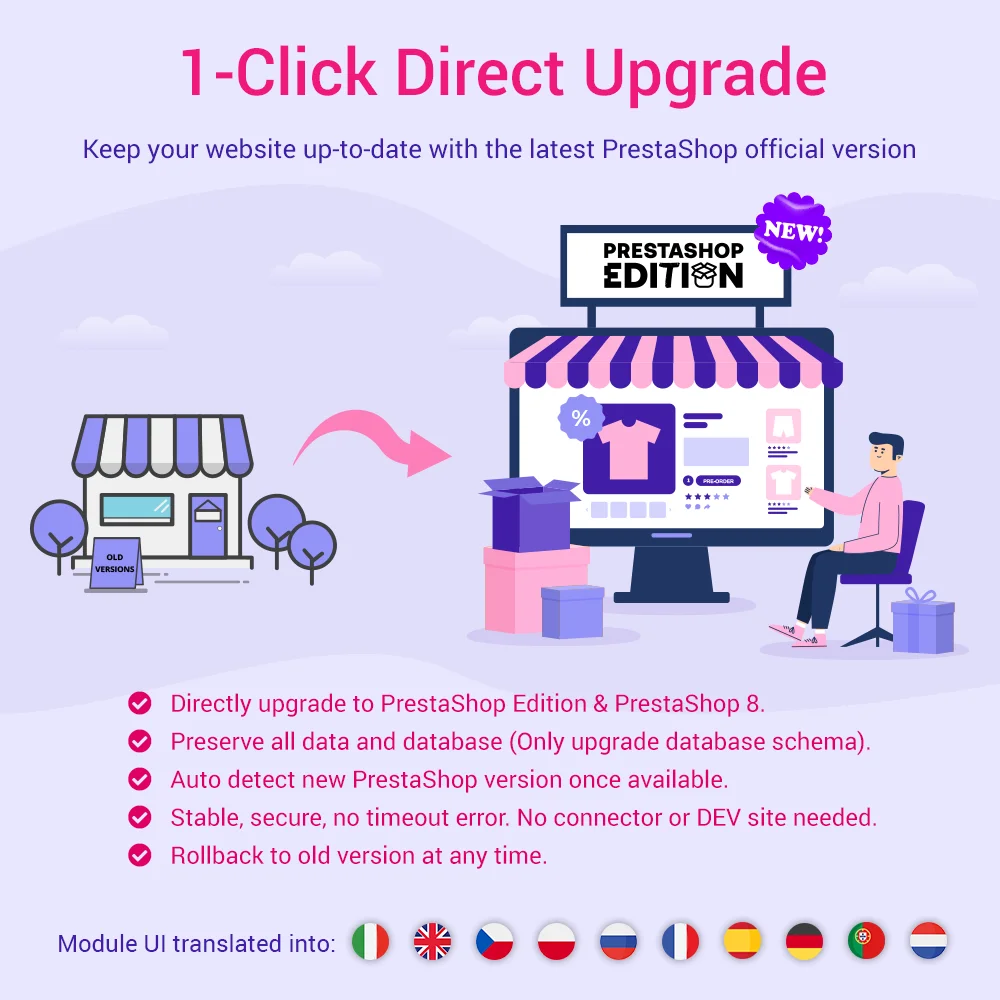
Effortlessly upgrade from any PrestaShop version (9.x, 8.x, 1.7.x, or earlier) to the latest PrestaShop 9 with just one click. Dedicated Upgrade Service is also included; we help you upgrade your store!
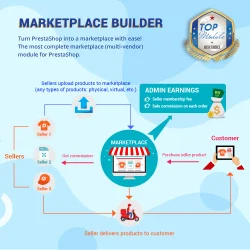
Transform PrestaShop into a multi vendor marketplace with easy setup steps. This module enables sellers to list their products on your site and pay you a percentage fee per sale or a monthly membership fee
Build loyalty, attract new customers and grow sales with 3 marketing programs in 1 module—loyalty, referral and affiliate. Reward customers with points or cash when they purchase products, refer friends or promote products and generate sales.