Black Friday can bring more visitors, more product views, more searches, more carts, and more orders to your PrestaShop store.
That is good news, but it can also put more pressure on your website.
A page that already feels a little slow may become more frustrating when your store gets busier. A promotion that is not configured correctly may confuse shoppers. A difficult checkout may get in the way just when a customer is ready to buy.
That is why Black Friday preparation should go beyond creating discounts.
Ideally, start reviewing your store a few weeks before Black Friday so you have enough time to identify problems, make improvements, and test everything again before the rush begins.
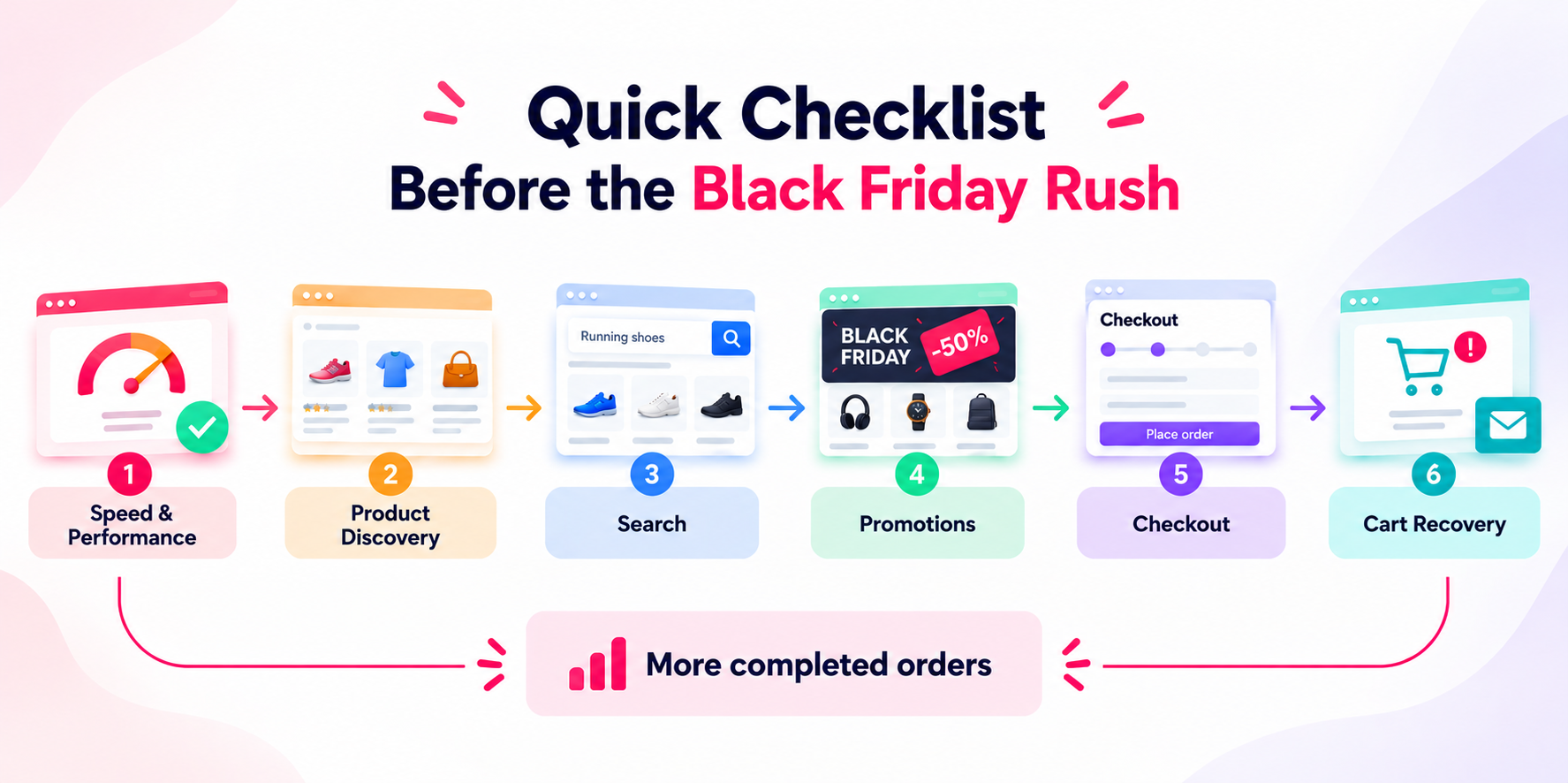
Review the complete shopping journey — from the moment a visitor arrives on your store to the moment they complete an order or leave a cart behind.
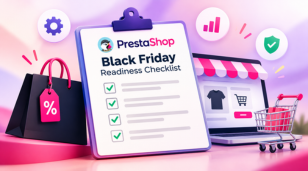
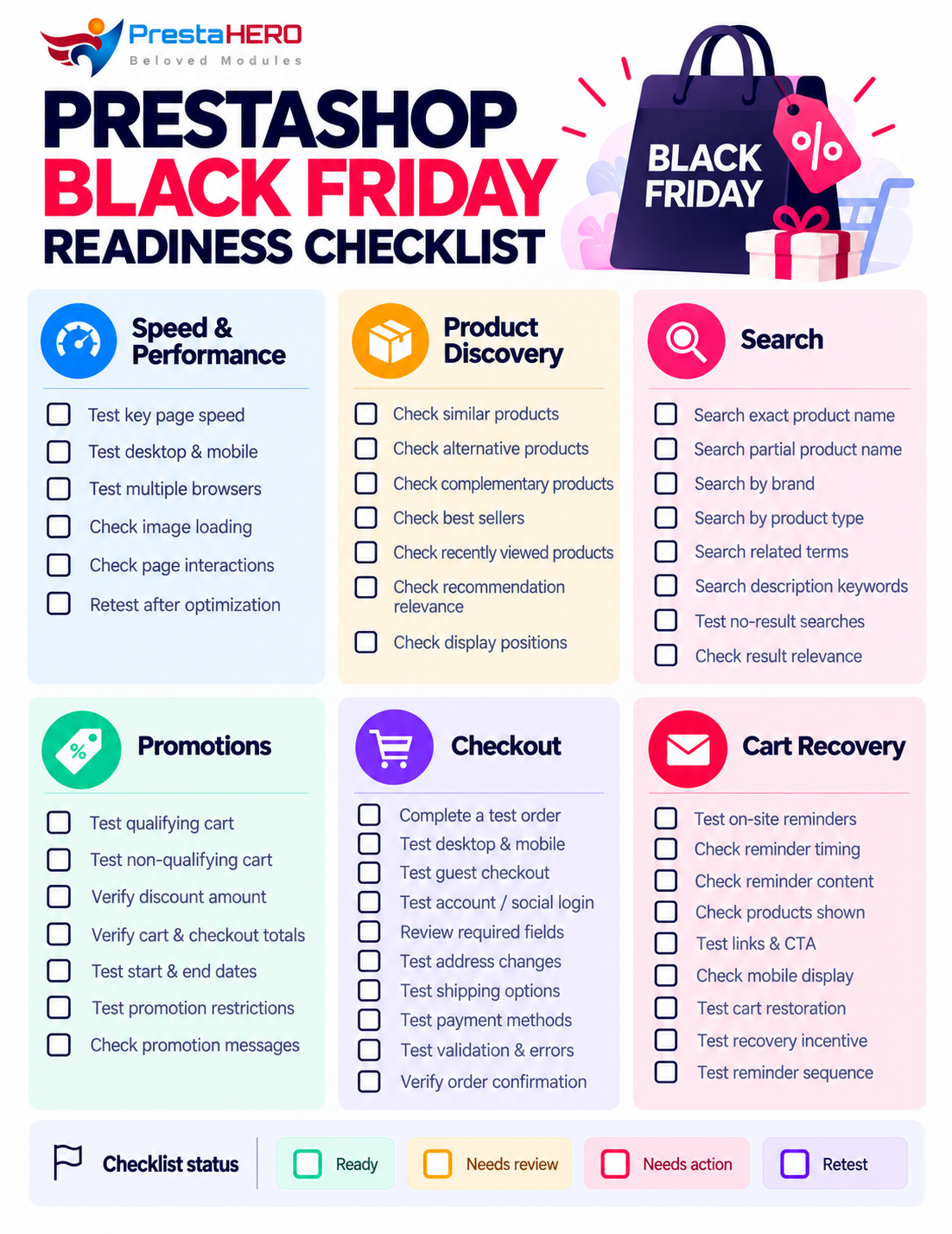
Start with this Black Friday readiness checklist:
Work through the sections below for practical steps on how to test each area and what to look for.
Black Friday may bring more people to your store at the same time. Those visitors will be opening product pages, searching, adding products to their carts, logging in, and checking out.
If important pages are already slow during a normal day, the problem may become more noticeable when your store gets busier.
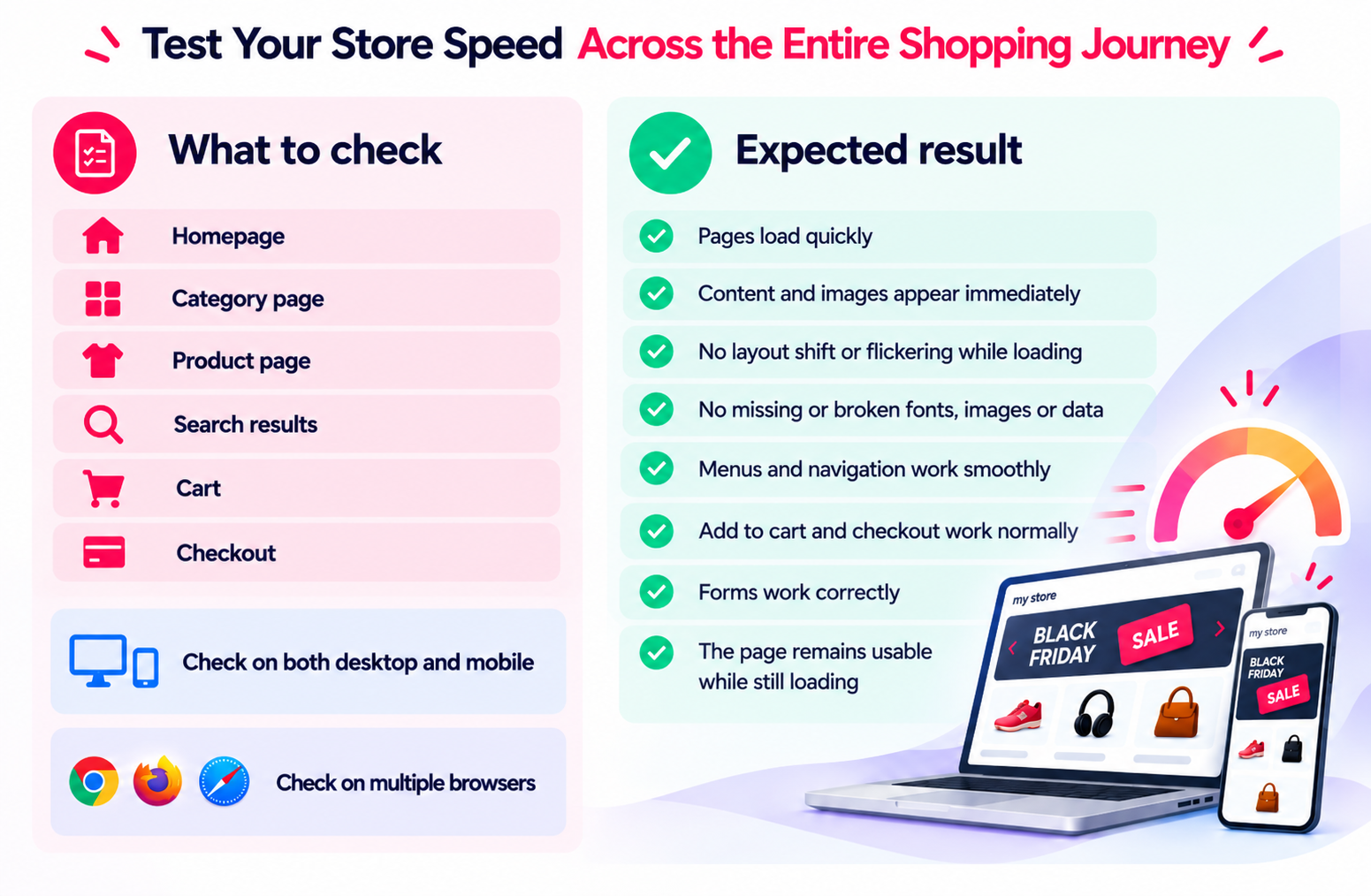
Start by testing the pages that matter most to the shopping journey:
Do not test only your homepage. Test your most important products and key parts of the shopping journey as well. A fast homepage does not mean the rest of the shopping journey is also fast.
Test these pages on both desktop and mobile. If possible, also test your store on different devices and browsers.
Pay attention to pages that take noticeably longer to load, images that appear slowly, buttons that take too long to respond, or parts of a page that move or appear late.
If you find a performance problem, look for the cause before making many changes at once. If you are not sure where the problem comes from, see our guide on why a PrestaShop store can be slow and how to diagnose it.
Common areas worth checking include:
If you use page caching, configuration also matters. Dynamic parts of your store still need to work correctly. Our page cache configuration guide explains what to consider when configuring cache for a PrestaShop store.
Optimization should also not break important store functions.
After making performance changes, test actions such as:
The goal is not simply to get a better performance score. Your important shopping pages should load well and continue to work correctly.
If you want to manage common performance optimizations more easily, Super Speed can help with page caching, image optimization, database cleanup, CSS and JavaScript optimization, and other performance improvements from one place.
Bringing shoppers to your store is only the beginning. A Black Friday visitor may arrive because of a particular product or promotion, but they may also be interested in other relevant products. Your store should make it easy for them to continue exploring products.
Start with the products you expect to receive the most attention during Black Friday. Open their product pages and look at them from a shopper's point of view:
If the product is not quite right, can they easily find a similar alternative?
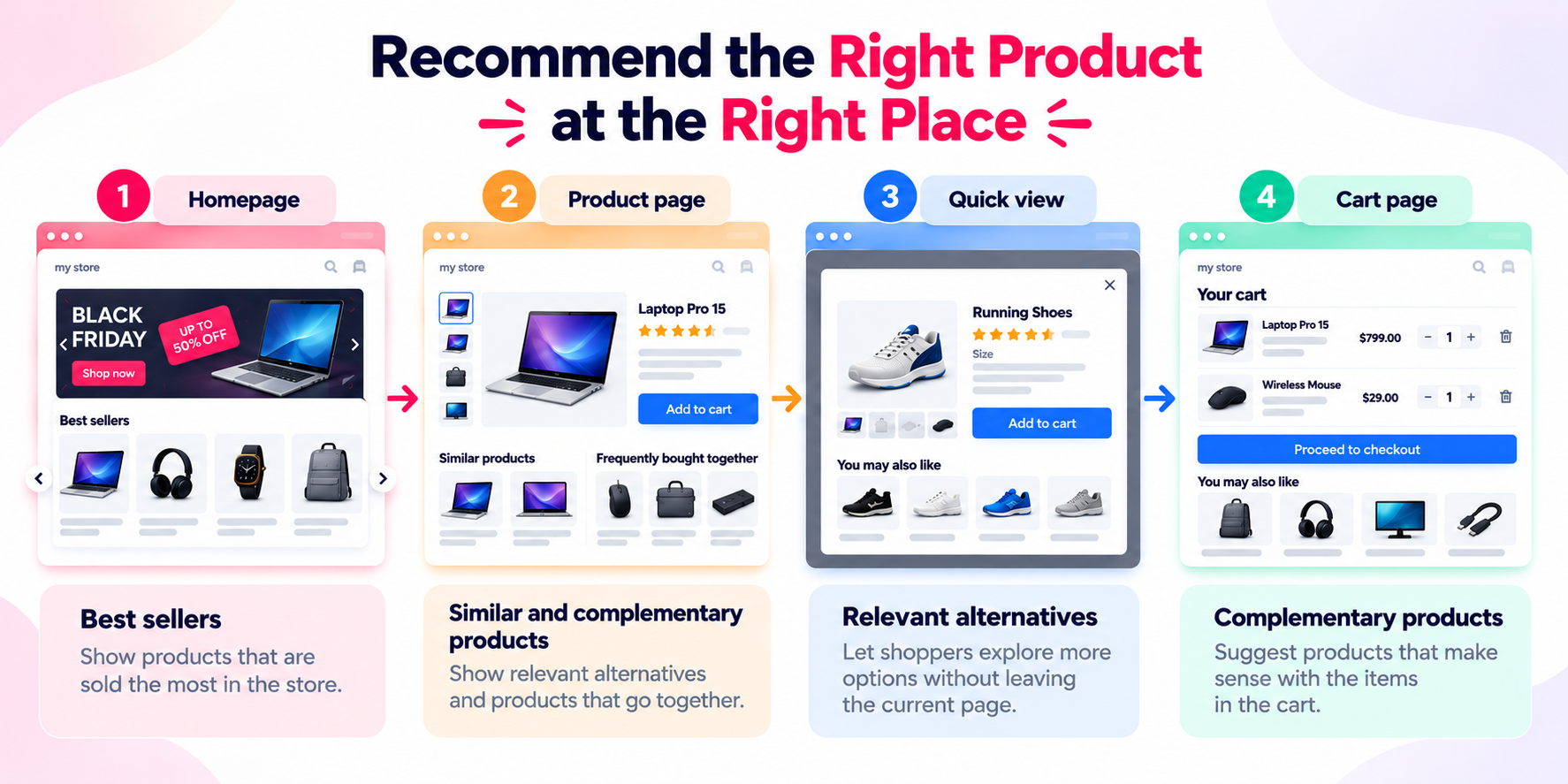
If they like the product, can they discover complementary products that naturally go with it? For example, when viewing a laptop, a user might see:
Depending on your catalog, you can help shoppers discover more through:
There are different ways to build these recommendations depending on what you sell and what you want shoppers to discover. You can see more examples in our guide to different types of product suggestions for PrestaShop.
Also think about where these recommendations appear.
Review important areas such as:
The right position depends on what you want the recommendation to do. For example, alternatives may be useful while a shopper is comparing products, while complementary products may become more useful closer to the cart. See the available positions for displaying product suggestions for more ideas.
More recommendations do not automatically create a better shopping experience.
If every page is filled with unrelated products, recommendations can become distracting instead of useful. Focus on relevance.
Ask yourself:
If I were interested in this product, would these recommendations help me decide what to view or buy next?
A useful recommendation should give the shopper a natural next step instead of simply adding more products to the page.
If you want more control over how products are recommended across your store, Cross Selling Pro can help you create different types of product suggestions and display them in relevant positions throughout the shopping journey.
Some Black Friday shoppers will browse your categories and promotions, while others will arrive already knowing roughly what they want. For these customers, search can be one of the fastest ways to find the right product and move closer to a purchase.
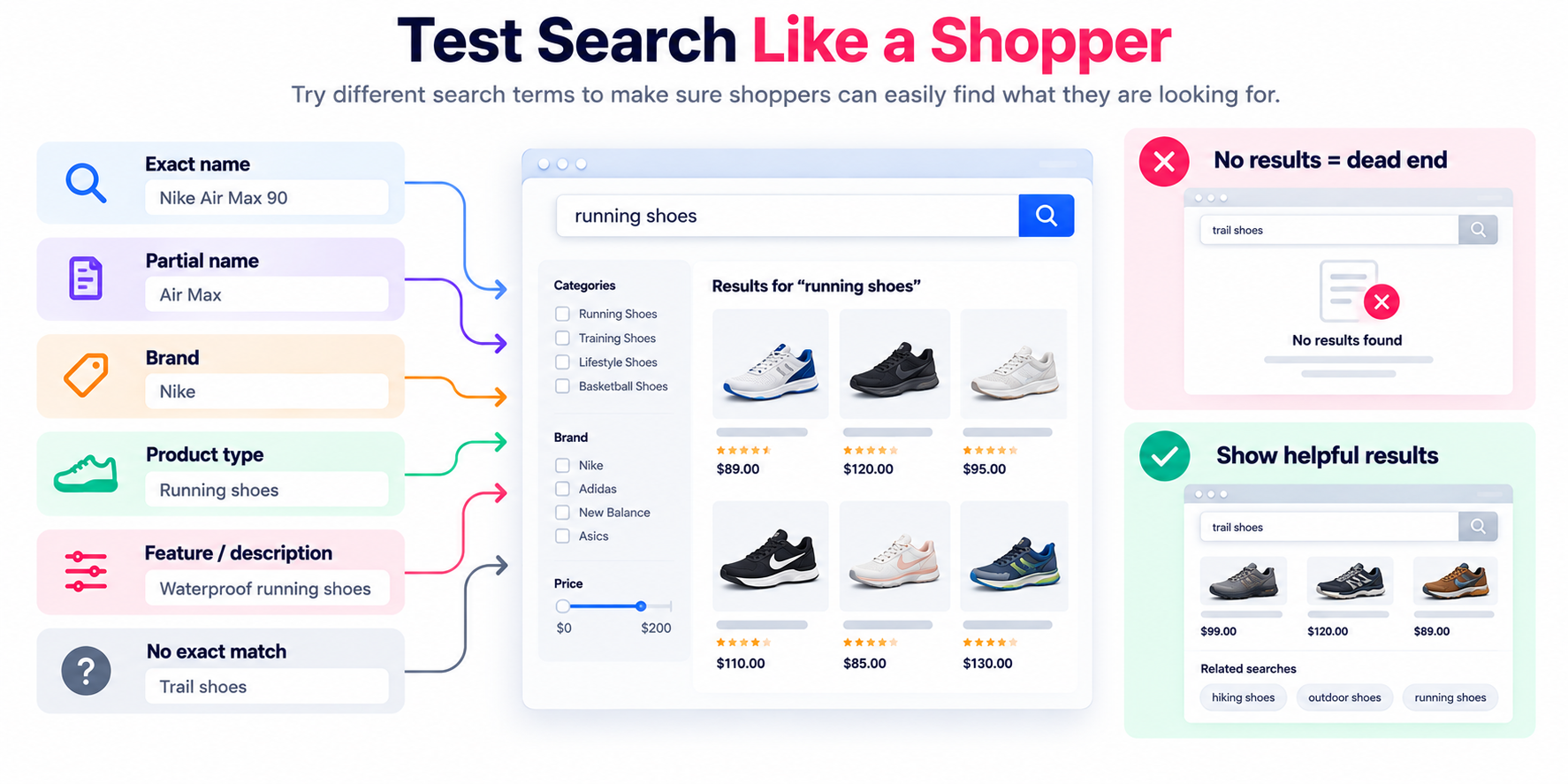
When testing your store search, do not rely only on exact product names. Customers may search differently because they do not always know the exact names or terms used in your catalog.
Try searching in several different ways:
Then look carefully at what your store returns.
Ask:
If you want shoppers to search across more useful product information, see How to Configure and Enhance the Search Results Page with Total Search Pro
A no-result search also does not have to end the shopping journey. You can customize what shoppers see when no search results are found and give them another way to continue exploring.
Think like a customer who does not know how your catalog is organized.
For example, you may know the exact product name because you manage the store every day. A new shopper may only know the brand and type of product they want.
Your search experience should help both.
Before Black Friday, try several realistic searches and check whether they lead you toward products that make sense.
The goal is simple: when shoppers know what they want, or at least have an idea, help them get closer to the right product.
If your standard store search does not give shoppers enough ways to find the right products, Total Search Pro can expand what customers can search and provide richer results, suggestions, and useful alternatives when an exact match is not available.
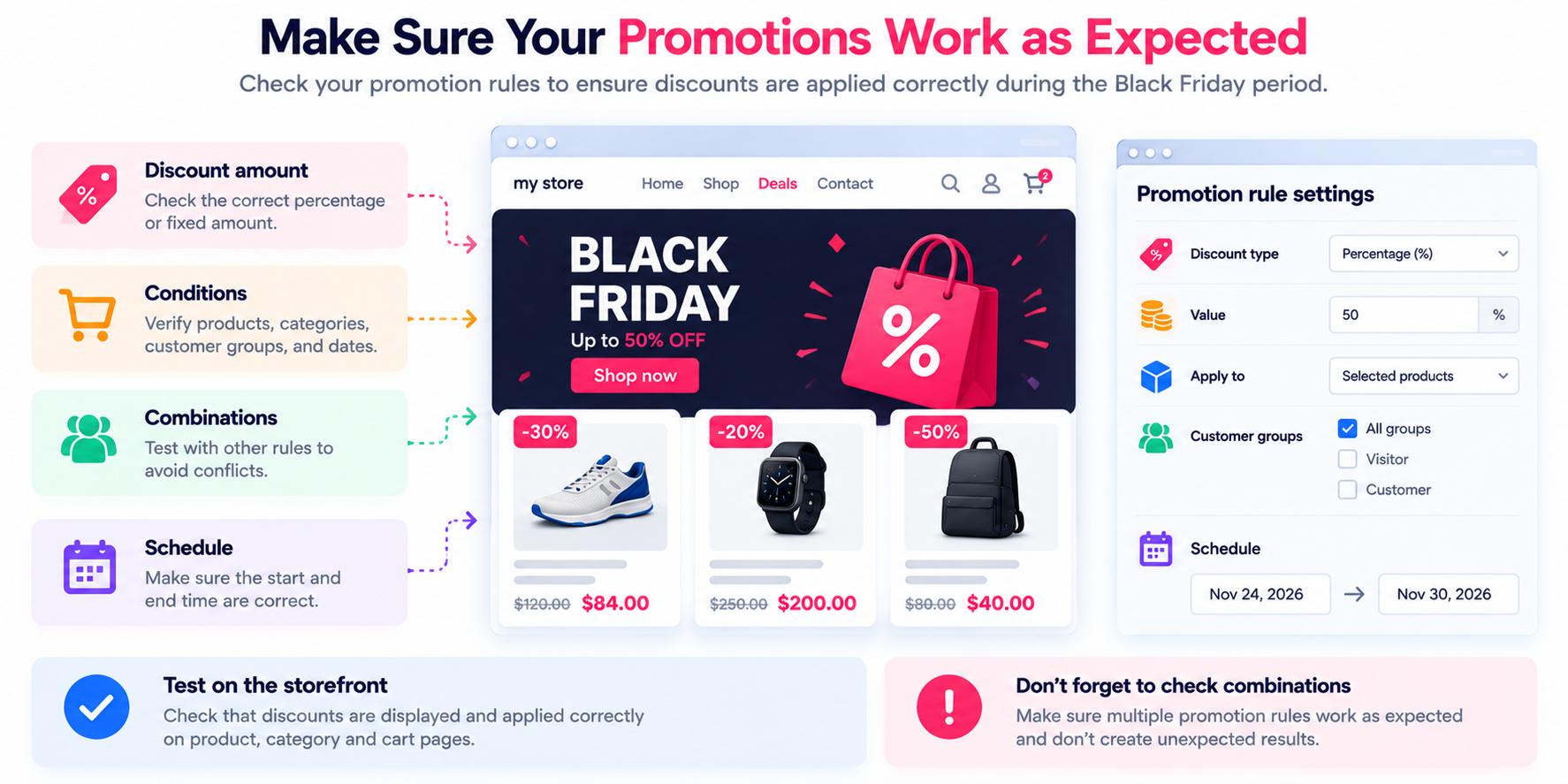
Black Friday promotions should not only look attractive. They also need to work correctly.
Before creating promotion rules, write down the offers you actually plan to run.
For example:
Once you know what you want to offer, make sure the promotion rules match those requirements. If you need more advanced conditions or actions, our guide explains how to create and configure a discount rule.
Once the promotions are configured, test each one from the customer's side.
Start with a cart that should qualify for the promotion.
For example, if your offer is 20% off when buying selected products, add three qualifying products and check:
Then test a cart that should not qualify.
Try:
The promotion should appear only when its conditions are met.
Also test any start dates, end dates, customer restrictions, product restrictions, or other conditions you plan to use.
But correct calculations are only part of the experience.
Customers also need to understand the offer.
Check how you communicate your Black Friday promotions through:
A shopper should be able to understand what the offer is, what they need to do, and what they will receive.
If you need ideas for making discount rules more visible, see how to promote discounts through different positions on your PrestaShop store.
Do not wait until Black Friday to discover that a promotion is difficult to understand or does not behave as expected.
Configure it, test it, and experience it as a customer before the campaign starts.
If your Black Friday campaign needs more flexible promotion rules, Promotion Pro can help you create offers with different conditions and actions, then promote them through different positions across your store.
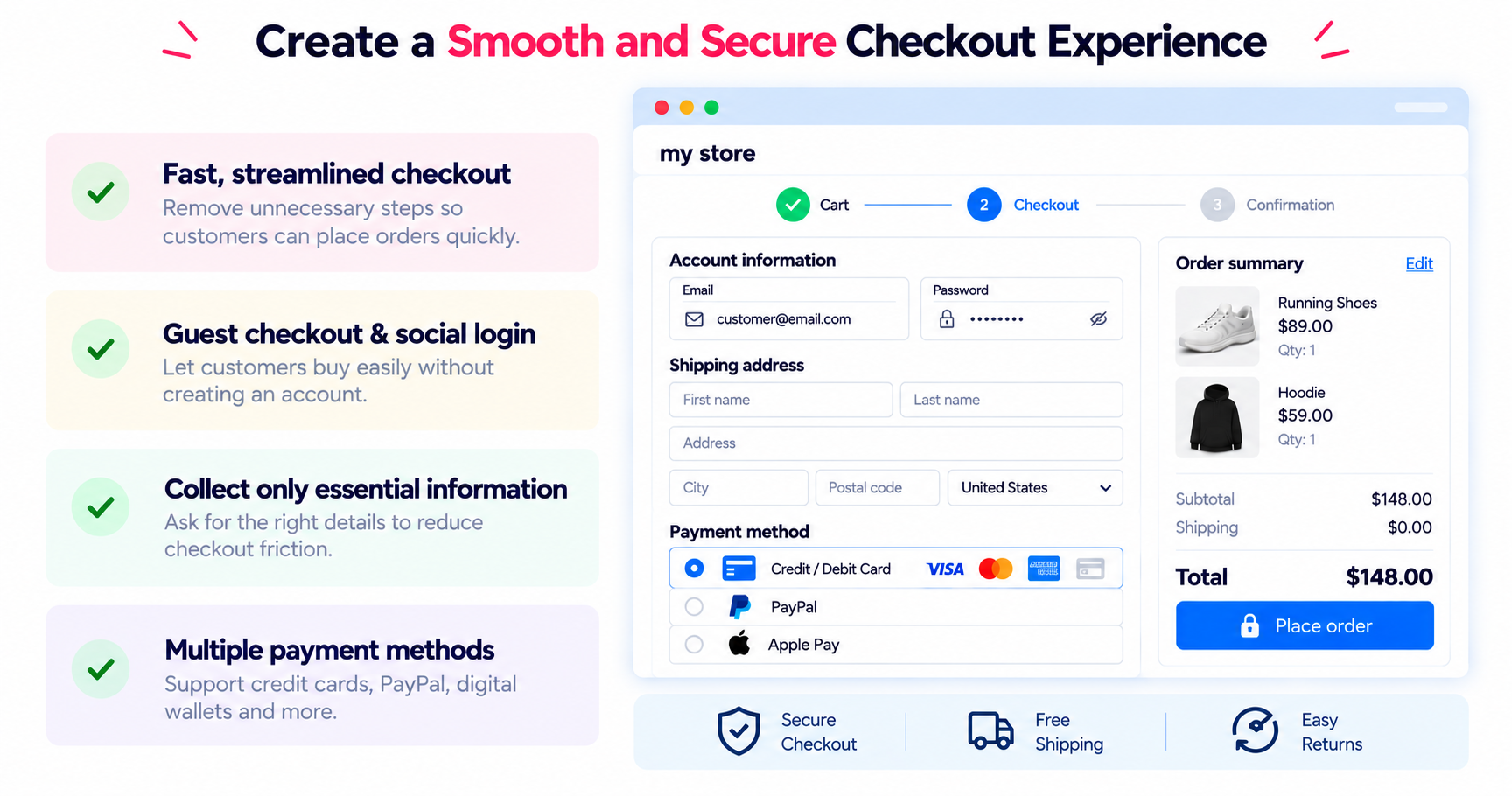
A shopper can find the right product, receive the right promotion, and add products to their cart — but the order still needs to make it through checkout.
That is why checkout deserves a complete test before Black Friday.
Do not only open the checkout page and look at it.
Place a real test order yourself.
If possible, test the checkout using common browsers such as:
Repeat the test on both desktop and mobile. If your store supports guest checkout, customer accounts, or social login, test each available option to make sure customers can start checkout without unnecessary difficulties.
Then go through the entire checkout process step by step and review every field you ask customers to complete.
For each one, ask:
Do we really need this information to process the order?
Look for:
If your checkout asks for information you do not need, consider simplifying it.
Continue through the complete order process.
Test:
Try changing the address, shipping option, or payment method during checkout. Make sure the information and totals update correctly.
Test the payment methods your customers are most likely to use.
And do not stop before the final step. Complete the order and make sure the confirmation page appears correctly.
When you finish, ask yourself:
If I knew nothing about this store, would this checkout feel easy to complete?
Anything that feels unnecessary, confusing, difficult, or broken is worth reviewing before Black Friday shoppers arrive.
If your checkout still feels longer or more complicated than it needs to be, One Page Checkout & Social Login can bring the main checkout steps together on one page, while supporting guest checkout, social login, customizable fields, and a more flexible checkout experience.
Even with a good shopping experience, not every shopper will complete an order on their first visit. They may get distracted, compare other offers, need more time to decide, or simply plan to return later. That makes abandoned cart recovery another important area to prepare before Black Friday.
To test your current recovery flow, create a cart yourself, add some products, move through the store, and then leave without completing the order.
First, look at what happens before you leave.
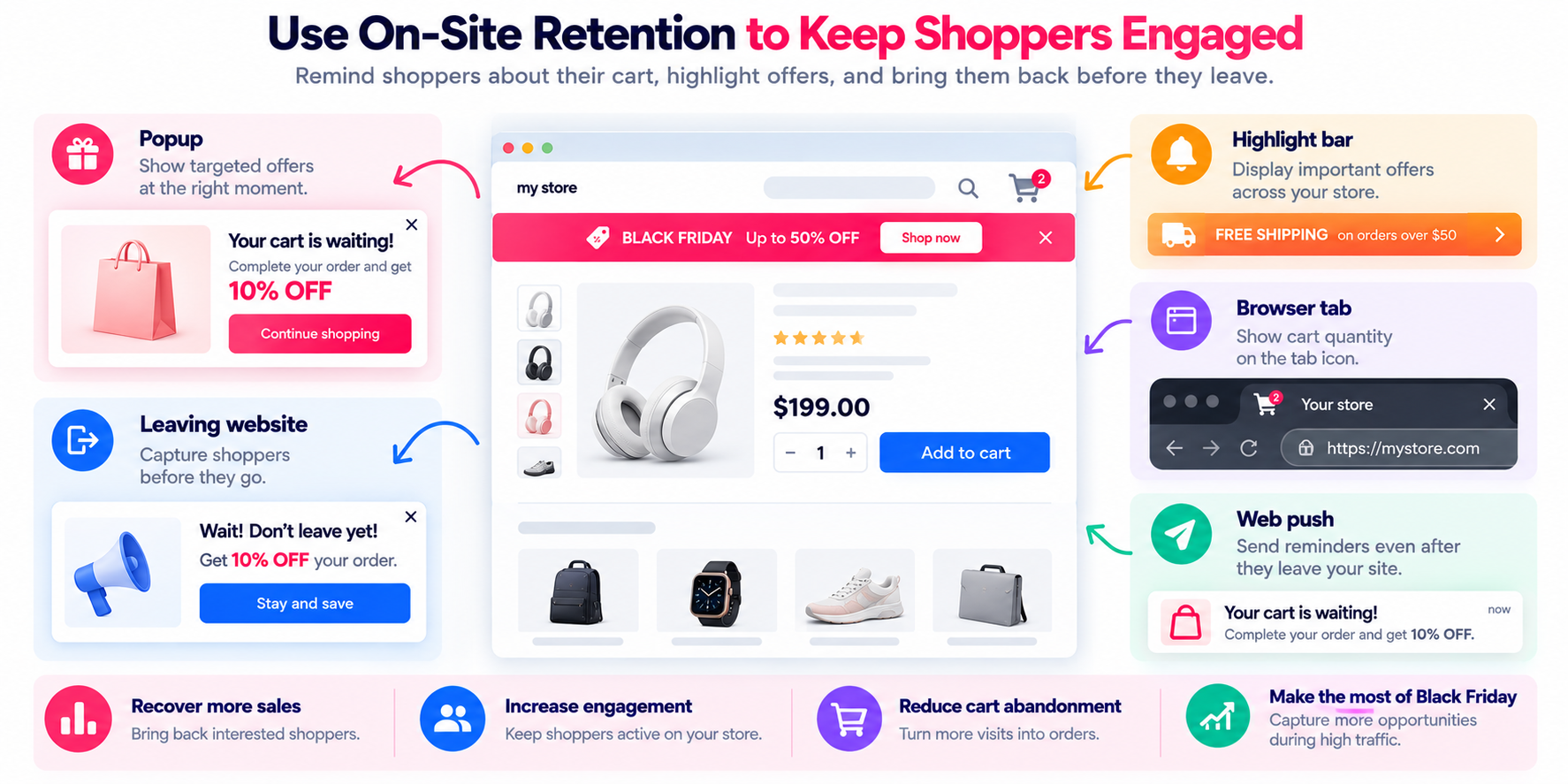
If your store uses on-site reminders, check whether they appear at the right time and make sense in the shopping journey.
These may include:
These reminders should support the shopping experience rather than interrupt it unnecessarily.
Next, leave the store and check what happens afterward.
If you send abandoned cart reminders, review:
Open the reminder and follow the link back to your store. Then check whether the recovery journey works as expected:
If you provide an incentive, such as a discount or free shipping, test it as well to make sure the conditions and final cart total are correct. If you send multiple reminders, review the complete sequence to make sure the timing and messages work well together.
Check whether the timing makes sense and whether the messages provide a useful reason to return without becoming too repetitive.
Most importantly, do not wait for a real customer to test this process for you. You can follow our guide on how to test abandoned cart reminder emails to create a test cart, trigger the reminders, and check the recovery flow yourself.
The goal is not to send as many reminders as possible.
The goal is to give interested shoppers a useful reason and an easy way to come back and complete their purchase.
If you want to build a more complete recovery flow, Abandoned Cart Reminder can help you engage shoppers while they are still on your store and follow up after they leave through different reminder channels, with optional incentives to encourage them to return.
After checking the six areas above, test them together.
Open your store as if you were a new Black Friday shopper and complete a full shopping journey:
Browse → Discover products → Search → Add to cart → Apply promotion → Checkout → Order confirmation
Do not use shortcuts just because you already know how your store works.
Use the menus, search box, product pages, cart, and checkout exactly as a real customer would.
Then start another journey:
Add to cart → Leave the store → Receive a reminder → Return → Continue checkout
This final test can reveal problems that are difficult to notice when each part of the store is tested separately.
If you work with a team, consider asking someone who was not directly involved in configuring the store to perform the test.
They may notice confusing steps that feel completely normal to someone who works with the store every day.
Preparing for Black Friday means identifying the issues that matter most early enough to fix them before traffic increases.
The earlier you find these problems, the more time you have to fix and retest them before the campaign begins.
Start with the issues that could have the biggest effect on the shopping journey. Fix them, then test again.
Remember that a change in one area can affect another. A performance optimization can affect store functions. A new promotion can affect cart totals. A checkout change can behave differently on mobile.
That is why testing again after important changes matters.
Use our PrestaShop Black Friday Readiness Checklist alongside this guide to keep track of what has already been checked and what still needs attention.
Print it, share it with your developer or team, and work through the checklist before the Black Friday rush begins.
The more problems you can find and solve before shoppers arrive, the better prepared your store will be to make the most of Black Friday traffic and sales opportunities.
If you have questions about any part of this checklist, want to understand an issue in more detail, or need help implementing an improvement on your PrestaShop store, feel free to contact us. Our team will be happy to help you identify the right next steps for your store.